Accounting firm marketing · For CPA, accounting, bookkeeping and advisory firms Stop being your firm's front door.
Accounting firm marketing that ends in a prepared meeting: The Quiet Protocol builds CPA and accounting firm websites with a real client intake system behind them. Prospects pick the right service, answer only the questions that change what happens next, and reach the right calendar prepared. Partners stop carrying every first conversation.
Client intake and booking systems from $197/month, website included · Signature Systems from $995/month
A new website that ends at the same contact form is still a brochure. What an unclear front door is missing is not design. It is the path behind the page.
Already know what you need? Book a call. A structured conversation, not a proposal. It costs nothing.
This is a live demonstration built by The Quiet Protocol for this purpose. It is not a client implementation, and nothing you enter creates an obligation for anyone.
★★★★★ Rated 5.0 on GoogleBased in TorontoServing the United States and Canada
One undesigned entry
01Website enquiry
02Website enquiry
03Voicemail, no detail
04Website enquiry
05Forwarded email
06Website enquiry
Sorted by a person, one at a time
Designed entry
01Corporate taxNew prospectHeld for partner review
The same week of inquiries, before and after the path is designed. Illustrative. The services, doors and next steps are whatever your firm decides they are.
Accounting firm marketing, end to end
From the first search to a prepared first meeting.
Most marketing stops at the contact form. We cover every step a prospect takes with your firm, so a search becomes a qualified booking, and a new client arrives with the right documents and the right expectations.
Your website, listings, AI call answering, client intake, booking, document requests and follow-up, built as one system around your partners and your season. Fully managed by our team, AI included. From $995/month.
Client Intake & Booking System$197/month for one user, up to $497/month for 7 to 10 usersWebsite, client intake portal, branded booking, reminders and unlimited e-signing, priced by team size.See the client system
Get Found local SEO$99/month, or $82.50/month billed yearlyFor firms that are hard to find on Google Maps for the services they want.See Get Found
AI receptionistFrom $1,495 setup + $497/monthFor firms whose phones overflow in tax season.See the AI receptionist
Essential Website$99/month, no setup feeFor firms that only need a professional site, with nothing behind it yet.See the Essential Website
Prices in USD. Setup and monthly fees are listed separately; calls, texts and AI usage are billed at actual use. Each piece joins the same connected system, so you can add the next one without starting over.
What changes
Same firm. Same clients. A different way in.
Nothing here asks you to change how you do the work. It changes what happens in the hours around it, from the moment someone decides they need an accountant to the moment a prepared file reaches the right person.
TodayWith a designed front door
TodayThe website describes the firm.AfterThe website helps people find the path that fits them.
TodayEveryone lands on the same contact form.AfterProspects give the context that changes what happens next.
TodayA partner clarifies what the person actually needs.AfterThe context arrives before the conversation does.
TodayAnyone who finds the link can book anything.AfterThe firm controls who can book what, and when.
TodayStaff repeat preparation instructions before the meeting.AfterThe right meeting arrives prepared.
TodayExisting clients interrupt the same people.AfterExisting clients have routes of their own.
TodayA referral is treated like traffic.AfterA professional referral gets its own handling.
TodayConfirmations and reminders depend on somebody remembering.AfterThe firm-defined appointment reminders happen on schedule.
TodayTax season multiplies every interruption.AfterSeasonal volume meets a system instead of a partner.
Professional judgment stays exactly where it is. With you.
The firm gets easier to run before it gets busier.
You are not behind. You are carrying the front door.
The website is one entrance. The phone is another. Then email, calendar links, portal messages, referrals and direct contact with whoever a client happens to know. Each one works on its own. Together they leave a firm with no clear front door, so a person becomes the connection between all of them.
Exhibit AThe front door nobody designedIllustrative
Drag sideways to see the whole exhibit
What the client feels
Am I in the right place?
Does this firm handle my situation?
Should I call, email, or book?
What happens next?
Is anyone actually going to respond?
What the firm experiences
An unqualified inquiry in a general inbox.
No context about what the person actually needs.
A partner who becomes the default first responder.
A calendar that fills with the wrong conversations.
The gap between those two columns is the front door problem. It is not a people problem. It is a design problem.
Composite scenario
Sarah's inquiry
01Sarah runs a growing business. Her books need cleanup. She also needs tax planning.
02She visits a firm's website after dinner. The services sound broad. The contact form asks for her name, her email and a message.
03She writes: I need help with my accounting and taxes.
04The message lands in a general inbox. Nobody knows the urgency. Nobody sees the fit. No next step is promised.
05Sarah keeps looking. The firm never learns what it missed.
The website
did not help Sarah recognise the right service.
The form
did not collect the facts that change the route.
The system
did not assign ownership.
The calendar
did not offer a controlled next step.
The phone could have helped. The phone should not have to carry the entire front door. Every failure point here had a structural fix, and none of them required a new hire.
Tax season does not arrive as one task.
It arrives in fragments.
A prospect asks if you handle their entity type.
An existing client needs the portal link.
A referral arrives with no context.
A meeting moves twice.
Someone forgot the documents.
A staff member asks who should respond.
None of these looks dangerous on its own. Together they turn the day into triage.
Exhibit BFront door load across the yearShape illustrative, peak ratio sourced
Drag sideways to see the whole exhibit
Calm. Prepared. Unmistakably professional.
That is how your firm should feel online, before anyone picks up the phone.
What we build
Your digital front office.
Not eight pieces of software. One path into the firm, built once, where each step hands the next one something useful. A website that only describes the firm is a brochure. A website that routes, qualifies and books is a system.
01
Authority website
Services described the way a buyer asks for them, with the fit stated plainly.
02
Client intake
The smallest set of questions that change the answer. Nothing collected for its own sake.
03
Routing
Your rules about service, client type, capacity and who reviews what, applied the same way every time.
04
Booking
Controlled availability by person, appointment type, duration, buffer and season.
05
Reminders
Confirmations, reminders and rescheduling that do not depend on anyone remembering.
06
Preparation
The professional opens the meeting knowing the entity, the need, the timing and the history.
07
Platform access
The firm can review the prepared record and manually initiate approved next actions.
08
Firm-owned next decision
Acceptance, documents, signatures and engagement progression stay with the firm.
Exhibit CThe designed entryIllustrative
Drag sideways to see the whole exhibit
Five client-facing moments
From the guide. Whatever tools sit underneath, the client should experience one path.
01
Website
Help me understand where I fit.
The firm gains
Fewer inquiries that were never a fit, and better-shaped ones that are.
You still decide
You decide what the firm offers and who it is for.
02
Intake
Ask only what changes my route.
The firm gains
Stated need, entity, timing and referral source in structured fields.
You still decide
You decide which questions are worth asking.
03
Booking
Offer the right next step.
The firm gains
The right conversation on the right calendar, or none at all.
You still decide
You decide who can book what, and when.
04
Prepare
Make the human conversation useful.
The firm gains
A meeting that opens on judgment instead of on data collection.
You still decide
You decide what a prepared file needs to contain.
05
Confirm and remind
Tell me what I booked and how to prepare.
The firm gains
A clear, prepared appointment without relying on someone to repeat the logistics.
You still decide
You decide what happens after the meeting and whether the firm proceeds.
Before adding any new tool, the guide asks three questions of it. What does the client experience? What does the firm gain? What stays under human control?
Live demonstration
Do not take our word for any of this. Use the system.
This is not a screenshot and not a mockup. It is a working CPA intake system we built and left open. Enter it the way a prospective client would, choose a service, answer the questions, watch where the path sends you, and book at the end if you want to see that part too.
01Understand
02Experience
03Talk about your firm
A firm’s digital front door
One entrance. Three clear paths.
01 New clients
02 Existing clients
03 Professional referrals
Built around the way a practice works.
Example intake experience
How can we help?
Choose the path that fits. Each person reaches the right next step.
01 / New clients
Start a new request
Tell the firm what you need before the first conversation.
Tax
Planning
Accounting
Advisory
02 / Existing clients
I’m already a client
Find the right place for documents, requests and meetings.
Documents
Messages
Scheduling
03 / Professional referrals
Making an introduction?
Give a colleague a clear way to connect someone with the firm.
The model behind a better front door.From our live CPA demonstration.Try the live CPA system
01
Choose a different service each time
The questions change. A cleanup request and an advisory request are not asked the same things, because the answers get used differently.
02
Enter as an existing client
The path is shorter. It does not re-qualify somebody the firm already serves, and it does not send them to a sales calendar.
03
Say you were referred
The referral is recorded as a referral. Watch what changes about the acknowledgment and the route.
04
Get to the end, then count backwards
Count the questions it asked. Then ask how many a partner currently asks by phone to reach the same place.
Where the hours go
Find the hours hiding in your front door.
Routine front-office work usually hides in four places. The ranges below are the illustrative estimates from our field guide, based on patterns we see in the firms we work with. They are a starting shape, not a benchmark, and certainly not your number.
3 to 5 hours a weekIllustrative range, from The Front Door Problem
Vague new inquiries
You clarify the service, the urgency, the entity and the fit before you can do anything with it.
2 to 3 hours a weekIllustrative range, from The Front Door Problem
Existing-client routing
You resend links, redirect uploads and answer routine questions that were never meant for you.
1 to 2 hours a weekIllustrative range, from The Front Door Problem
Scheduling and preparation
You trade times and chase context. Rescheduling, wrong-meeting bookings and no-shows.
1 to 2 hours a weekIllustrative range, from The Front Door Problem
Engagement follow-up
You check whether the next step was completed, and send the status update yourself.
Our guide puts the combined owner and staff total at roughly 5 to 10 hours a week. That figure is illustrative and it is ours, not an industry statistic. The worksheet below replaces it with yours.
The Time Recovery Worksheet
Estimate one ordinary week. Add the minutes, divide by sixty. That is the weekly attention surrounding your front door.
Your firm, in a typical weekCountMinutes eachPer week
Clarifying new inquiries
Everything arriving from the website, the phone and forwarded email.
Reading it, working out what it is, deciding who owns it.
Routing client requests
Status, documents, payments, small questions from existing clients.
Getting it to the right person, or answering it yourself because that is faster.
Per week. The ones where the first stretch is spent establishing basics.
In the meeting, or immediately before it.
Follow-up and status checking
Chasing documents, signatures, answers, and checking where things stand.
Including the ones that are just a second message.
Each line is count multiplied by minutes. The total is the sum, divided by sixty.
Want the commercial version?
The worksheet counts attention. Our CPA Client Intake Diagnostic goes further: it uses your inquiry volume, your stall rate, your close rate and your own first-year client value, states every assumption on the page, and ends with a time to talk it through.
The worksheet counts attention. The audited CPA Client Intake Diagnostic below is the separate commercial instrument, with its inputs and its method published so you can check the arithmetic before you trust the output.
Public utility guide
How this diagnostic works
See what happens before a good-fit prospect becomes a client.
Who it is for
CPA & Accounting
What it returns
Directional annual opportunity range, separate senior-time cost, trust-risk interpretation, assumptions, confidence, and recommended next step.
Cost and contact boundary
Free public diagnostic. No contact information or appointment is required to see the result.
Related system family
Intake Systems
Inputs you provide
How many good-fit new-client inquiries do you get in a typical month?
Count prospects who fit the services you want to grow.
About how many never reach a useful first meeting?
Count delays, no-replies, and scheduling drop-offs.
When a good-fit prospect meets with you, how often do they become a client?
When a good-fit prospect meets with you, how often do they become a client?
What is a new client worth in the first year?
What is a new client worth in the first year?
How many hours do partners or managers spend on intake each month?
Include screening, scheduling, reminders, and chasing details.
Can a good-fit prospect book the right meeting without emails back and forth?
Can a good-fit prospect book the right meeting without emails back and forth?
Do intake questions and reminders prepare everyone before the meeting?
Do intake questions and reminders prepare everyone before the meeting?
Method
The firm supplies the operating inputs. TQP supplies the visible range treatment and intake-readiness interpretation.
The calculation uses the user's recent operating inputs, keeps the modeled exposed cohort disjoint, and keeps senior time separate from the opportunity range.
Assumptions
Uses your numbers: No universal CPA benchmark is presented as your firm's result.
First-year client value only: Longer tenure, referrals, expansion work, and tax-season spillover are excluded.
8-hour working day: This makes the monthly hours easier to picture without assigning them a dollar value.
Time and revenue calculated separately: This prevents the same operating friction from being counted twice.
How to interpret the result
The result is a directional planning estimate, not verified lost revenue, causal attribution, or guaranteed recovery.
No. Partner and manager hours remain visible as time because turning them into revenue would risk double counting the same intake friction.
Compare the result with recent call, form, booking, proposal, and CRM records before making an operating decision.
The human boundary
Automation should make human care more reliable. It should never hide the need for it.
The guide names four triggers that move an interaction to a person immediately, whatever else the system was going to do.
Advice
Tax, legal or financial advice of any kind.
Distress
Emotional distress, a complaint, or a conflict.
Risk
Unusual risk, or uncertainty about who someone is.
Judgment
Sensitive personal detail, or a judgment call outside approved rules.
Never decided by software
Client acceptance
Professional advice
Tax positions
Engagement scope
Fees and pricing
Conflicts
Professional judgment
Sensitive exceptions
Risk decisions
What the system does
Explains your own published services
Collects the context you asked for
Applies routing rules you wrote
Protects the calendars you control
Confirms, reminds and follows up on your timing
Prepares a record for a professional to read
When an interaction crosses the line, the system says so, captures enough context for the handoff, and assigns an owner. That is the whole job.
Ninety seconds
The 90-Second Front Door Check
The scored diagnostic from our field guide. Six statements, each worth 0, 1 or 2. Score each one honestly and nobody else has to see it.
0Not true1Partly true2Consistently true
0out of 12
0 to 4Your front door depends on people catching gaps.
5 to 8Parts work. The handoffs need structure.
9 to 12The foundation is strong. Look for specific pressure points.
You do not have to finish this page before acting on the score. If the check already showed you something, the Client Intake Review is the right place to take it.
A structured conversation, not a proposal. It costs nothing.
Turn your website into a client intake system without making partners carry every first conversation.
The first thing a prospective client experiences is not your expertise. It is your intake process.
Vikram RoyFounder and Managing Principal, The Quiet Protocol
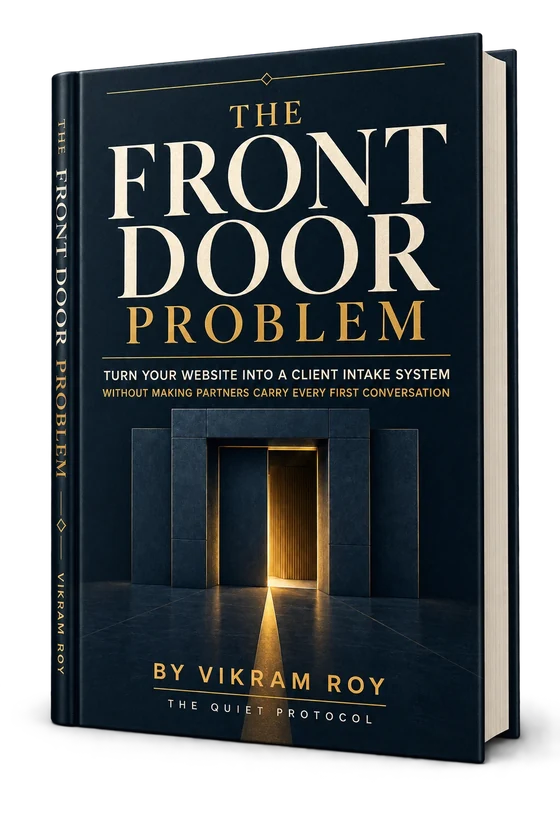
Most of the thinking on this page comes from our own field guide for accounting practices. It is a working book rather than a brochure: a scored diagnostic, a routing map, an intake model, a test for whether voice AI would actually help you, and a worksheet for your own hours.
1DiagnoseA six-statement diagnostic that shows where your intake is leaking time and trust.
2MapA routing map for new prospects, existing clients and professional referrals, so each visitor gets the right path rather than the same one.
3Intake modelA minimum-question model that collects only what changes the next step. Nothing more.
4AI testA decision framework for whether voice AI would actually help your firm, or just add complexity.
5WorksheetA time-recovery worksheet for estimating what your current front door costs you each week.
Sixteen years building systems for Fortune 500 companies and small businesses across the United States and Canada. Computer science, then innovation management. The guide is written for principals who carry more of the firm than anyone sees.
Three stages, in this order. The first one costs nothing and you keep what comes out of it whether we work together or not.
01
The Client Intake Review
We map every way people currently enter your firm: website, phone, email, referrals and direct contact. We identify where confusion, delay and interruption are happening.
You leave with a clear picture of your front door.
02
The Design Session
We define your visitor types, your intake questions, your booking rules and your handoff owners. We decide together what stays human and where structure helps.
You leave with a system design you can actually use.
03
Installation and verification
We build the paths, configure the tools, and test every route the way a real client would. Then we verify the system is working before we hand it back.
You leave with a front door that runs without you carrying it.
The installation sequence
1Observe every way people enter the firm
2Diagnose where confusion, delay and interruption happen
3Design visitor types, questions, outcomes and owners
4Install the website paths, intake, booking, confirmations and handoffs
5Verify each path by testing it like a real client
6Improve as services, staffing and seasons change
The right starting point is always the Client Intake Review.
A structured conversation, not a proposal. It costs nothing.
Two accounting firms, and what the record actually shows.
These are our own engagements, reported as the firms' own records describe them. We have not modelled them, rounded them upward, or borrowed them from a category benchmark.
Case 01
Western CPA
Toronto and Halifax
Full-service accounting firm, two offices, ongoing partnership
Found
Every service entered through the same contact form, email or booking link, and a person sorted it by hand across two offices.
Built
Each visitor starts on the path for their service, answers the right questions, and lands on the right calendar in Toronto or Halifax.
3x+Organic search visibility
70%+Less scheduling back and forth
10+Service-specific intake and booking journeys
4Calendars under one set of tax-season rules
158 to 236Google reviews
Figures come from the firm's engagement reporting across search, scheduling and review systems.
Four partners, fourteen staff, corporate tax, personal tax and advisory sharing one reception line
Found
Four kinds of inquiry arriving in one inbox. A referral from a trusted lawyer waiting in line with everything else.
Built
Intake reads engagement type and referral source first, then sends each path to the right calendar.
210 to 195Monthly inquiries, March to April
79 to 150Correctly identified by engagement type
46 to 112Consultations held
22 of 40 to 17 of 18Referred inquiries reaching a held consultation
March is pre-implementation peak season and April is the first full month live. Referral figures compare March against July off-season volume, where the count is naturally lower and the share is the point.
Two firms is two firms. Neither is a forecast for a third, the starting conditions were specific, and we will say the same thing in a scoping conversation. What they do show is that the constraint was routing rather than headcount.
The accounting estate
Where to go from here, depending on what you are actually solving.
This page is the hub. Each of these owns a narrower job in more depth, and none of them repeat this one.
What is a digital front office for an accounting firm?
It is the client-facing layer of how your firm already operates: the website explains services, intake collects the context you asked for, routing applies your rules, booking protects the correct calendars, and confirmations and reminders reduce coordination before the meeting. It sits in front of your accounting stack rather than replacing it, and it makes no professional decisions.
How is this different from buying another CPA website?
A conventional accounting website presents the firm. A digital front office also gives a visitor a clear path into the firm. Alongside the website, the standard scope covers client intake, qualification and service routing, controlled booking, confirmations and reminders, appointment preparation, platform access, and separate paths for existing clients and professional referrals. E-signature, integrations, advanced AI and post-acceptance workflows are separately scoped. A redesigned brochure is still a brochure if every prospect ends at the same contact form.
Do we have to replace our tax software or practice management system?
No. Tax software, practice management, the client portal and your document system can all stay. We start by asking what you would not give up, keep it, and build the client-facing layer in front of it. Where systems can be connected we connect them, and we verify what a specific platform actually supports before promising an integration.
Will the system give clients tax or accounting advice?
No. Four things move an interaction to a person immediately: advice of any kind, emotional distress or conflict, unusual risk or identity uncertainty, and any judgment call outside approved rules. Client acceptance, tax positions, engagement scope, fees and conflicts stay with your firm. The system explains your published services, collects context, applies your routing rules, coordinates calendars and prepares a record for a professional to read.
Does every inquiry end up on a partner calendar?
Only if you decide it should. A designed intake has four valid endings: book now when the request fits clear criteria, hold for review when a person should decide first, route to a client resource when the answer is the portal or a service queue, or offer a respectful alternative when the work does not fit. You write the rule and the system applies it consistently.
How do existing clients and professional referrals get handled differently?
They enter through different doors. An existing client is not re-qualified and gets three obvious routes: the portal for documents, an asynchronous request path for questions and uploads, and a purpose-specific meeting when one is genuinely needed. A professional referral has the introduction captured, the referrer acknowledged where appropriate, the calendar protected until your firm reviews fit, and a clear expectation set for the referred person.
Where does AI fit for an accounting firm?
After the foundation, not before it. If services are vague, AI repeats the vagueness. If booking rules are weak, AI exposes the calendar faster. If ownership is unclear, AI creates another place to check. Once the website, intake, routing and calendar rules are clear, there are two further layers available: an inbound AI receptionist for missed and after-hours calls, or AI that conducts a structured intake conversation inside rules you have already defined.
How much time does this actually recover?
Our field guide puts the combined owner and staff time around the front door at roughly 5 to 10 hours a week, across vague inquiries, existing-client routing, scheduling and follow-up. That figure is illustrative and it is ours, not an industry statistic, and it measures attention consumed rather than time guaranteed back. The worksheet on this page replaces it with your own numbers in about two minutes.
Can we see a working example before committing to anything?
Yes. We keep a live CPA client intake demonstration open at cpaportal.thequietprotocol.com. It is a demonstration built by The Quiet Protocol rather than a client implementation, and you can walk through it as a prospective client would, choosing different services and entering as a new prospect, an existing client or a referral.
What happens in a Client Intake Review?
We map every way people currently enter your firm, including the website, the phone, email, referrals and direct contact, and identify where confusion, delay and interruption are happening. It is a structured conversation rather than a proposal, it costs nothing, and you leave with a clear picture of your front door whether we work together or not.
Which kinds of accounting firms is this built for?
CPA and tax practices, accounting firms, bookkeeping firms, client accounting services and outsourced accounting teams, and fractional CFO and advisory practices, across the United States and Canada. If your firm already has a dedicated front-office team handling every first contact, much of this is probably already in place.
Show us what happens when someone tries to become your client.
Not a brief and not a list of tools. Walk us through the actual path: where an inquiry lands, who reads it first, what they have to work out by hand, and what happens to it in the third week of March.
We will tell you which parts are a design problem, which parts are a connection problem, and which parts are working and should be left alone. If the honest answer is that your firm needs to agree its own routing rules before any system is built, we will say that.
This is workflow and client-system implementation, not accounting, tax, audit, financial or legal advice. It does not determine client acceptance and does not provide data-security guarantees. Your firm retains those decisions and controls.
From the guides
Go deeper before you decide
Plain-language guides from our team on the questions this page raises.