
If the business answers four of those six and books two jobs, the owner may blame the campaign.
Treat any number without a nearby source or stated method as a planning assumption, then replace it with your own records.
The ad may not be the problem.
That is the diagnosis most service business owners do not want at first.
They are spending money. The clicks are expensive. The agency report is confusing. The phone is not ringing as much as they expected, or it is ringing but the revenue does not match the spend.
So the obvious suspects appear:
The keywords are wrong.
The agency is weak.
The budget is too low.
The landing page needs a redesign.
The competitor is bidding more.
Sometimes those things are true.
But in a lot of Front Door Audits, the painful answer is simpler:
The ad worked.
The buyer clicked.
The call arrived.
The form was submitted.
Then the business failed to capture the moment.
That is not a Google Ads problem.
That is an operational leak with a marketing bill attached.
The Gap Between Campaign Metrics and Revenue
Google Ads reporting is built around campaign behavior.
Impressions.
Clicks.
Cost per click.
Conversions.
Search terms.
Those numbers matter. A sloppy campaign can waste money quickly.
But a service business does not actually want clicks.
It wants booked jobs, consultations, estimates, service calls, patients, cases, and customers.
Between the click and the customer sits the part most ad dashboards cannot see:
- Did the call get answered?
- Did the form get a fast response?
- Did the person who answered have booking authority?
- Did the caller reach voicemail?
- Did the landing page match the promise in the ad?
- Did the buyer get a specific next step?
- Did the business follow up while the buyer still cared?
That middle layer decides whether paid demand becomes revenue.
And for many service businesses, that middle layer is where the money disappears.
A Simple Example
Assume a service business spends $3,000 on Google Ads.
The campaign generates 100 clicks.
Six people call or submit a form.
If the business answers four of those six and books two jobs, the owner may blame the campaign.
"We spent $3,000 and got two jobs."
But what if the campaign did its part?
What if the missing revenue came from:
- One call that went to voicemail.
- One form that sat for four hours.
- One caller who was put on hold.
- One buyer who reached the wrong landing page.
The campaign did not fail in those moments.
The front door failed.
Fixing the ad might improve the top of the funnel slightly. Fixing intake may double the value of the same spend.
That is why operations should be audited before the business keeps adjusting bids, keywords, and headlines.
Leak 1: Paid Calls Go Unanswered
This is the most expensive version of a missed call.
The business did not merely miss a buyer.
It paid to create the buyer's attention.
The search happened. The ad appeared. The click cost money. The buyer called. The phone rang.
Then the call went unanswered.
From inside the business, this may feel like a normal busy moment. The office manager was on another call. The owner was with a customer. The dispatcher was handling a technician issue. The front desk was at lunch.
From the buyer's side, none of that matters.
They clicked because they wanted help.
If they reach voicemail, they call the next result.
The fix is not complicated in principle:
- Track paid calls separately.
- Answer every paid call during advertised hours.
- Add overflow routing when the main line is busy.
- Add missed-call text-back within minutes.
- Review paid call outcomes weekly.
If the business is spending on Google Ads and still lets calls hit voicemail, it is paying to feed competitors.
That sounds dramatic.
It is also operationally true.
Leak 2: Forms Sit Too Long
Phone calls are urgent, but forms are not casual.
A person who fills out a form has still taken action.
They may be at work. They may not want to talk. They may want a written record. They may be comparing providers quietly. They may be ready to book but unwilling to call.
If the form sits until the next morning, the business has converted present intent into old news.
This is common with paid search.
The ad sends traffic to a form. The form notification goes to an email inbox. Someone checks it later. The reply says, "Thanks for reaching out. When would be a good time to talk?"
By then, the buyer may have already spoken to a competitor.
The first response should happen while the buyer is still in the decision window.
That can be:
- Immediate email confirmation.
- Immediate SMS acknowledgment.
- A booking link.
- A qualifying question.
- A call from the team.
- An AI intake sequence that routes the request.
The form should not be treated like a passive inbox.
If paid traffic creates the inquiry, the inquiry deserves a real first response.
Leak 3: The Landing Page Does Not Match the Search
A buyer searches for emergency HVAC repair.
They click an ad that promises emergency HVAC repair.
Then they land on a generic homepage with a rotating image, a broad headline, and a phone number hidden in the header.
That is a mismatch.
The buyer is trying to confirm one thing:
"Can this business solve my specific problem now?"
The landing page should answer that immediately.
For service businesses, a strong paid landing page should make the next step obvious:
- The service is named clearly.
- The location or service area is clear.
- The phone number is prominent.
- The form is short.
- The page loads fast on mobile.
- The page explains what happens after contact.
- Trust signals appear before the buyer has to hunt.
This is not about making a prettier page.
It is about reducing uncertainty.
Paid search buyers are often comparing quickly. If the page makes them think too hard, the click may be wasted before the phone ever rings.
Leak 4: Ads Run When Intake Is Closed
This one is brutally simple.
If ads run when the business cannot respond, some of the spend is designed to leak.
Many service businesses receive paid clicks in the evening and on weekends. Buyers search when they have time, when the problem becomes urgent, or when they are finally home.
If the business only answers from 8 AM to 5 PM, the paid campaign may be creating demand during hours when the front door is weak.
There are two ways to fix this.
The first is to restrict ad scheduling to windows where the business can respond.
That is better than wasting spend.
But it also means the business may be absent during high-intent windows.
The stronger fix is to build intake coverage that matches buyer behavior:
- After-hours AI intake.
- Live answering with real routing authority.
- Missed-call recovery.
- Emergency escalation.
- Booking links and form response automation.
The goal is not to be open for everything.
The goal is to prevent paid demand from hitting silence.
The Measurement Problem
This leak survives because nobody owns the full path.
The agency sees campaign metrics.
The owner sees booked jobs.
The office sees calls, messages, and forms.
The CRM sees only the leads that made it far enough to be entered.
The lost moments sit between systems.
That is why a business can argue about Google Ads for months without seeing the real issue.
The campaign report says performance is acceptable.
The revenue report says the campaign is disappointing.
Both can be true if the front door is leaking.
The business needs a closed loop:
- Ad source.
- Call or form arrival.
- Answer status.
- Response time.
- Booking outcome.
- Completed job.
- Revenue.
Without that loop, the owner is guessing.
And the guesses usually point at the loudest vendor, not the quietest leak.
The Revenue Leak Diagnostic for Google Ads
Before changing the campaign, run this audit.
Pull the last 30 days of paid leads.
For every paid call or form, record:
- Campaign or keyword if available.
- Arrival time.
- Channel.
- Whether it was answered.
- Time to first meaningful response.
- Whether the buyer reached a booking path.
- Whether the job booked.
- Whether the job completed.
- Revenue if completed.
Then group the failures.
How many were missed calls?
How many were slow forms?
How many happened after hours?
How many reached someone who could not book?
How many came from landing pages that did not match intent?
This is where the decision gets easier.
If the top failure is campaign quality, fix the campaign.
If the top failure is intake, fix intake first.
If the top failure is after-hours coverage, do not buy more clicks until the business can catch them.
The Right Order of Fixes
For most service businesses, the sequence should look like this:
- Track paid calls and forms separately.
- Install missed-call text-back.
- Add overflow routing for paid calls.
- Add immediate form acknowledgment and routing.
- Match landing pages to major ad groups.
- Extend intake coverage or adjust ad scheduling.
- Review cost per booked job, not only cost per click.
This order protects existing spend before expanding it.
That matters because a business with weak intake can make every marketing channel look worse than it is.
Google Ads may not be the villain.
It may simply be the channel exposing the front door fastest because the cost is visible.
The Campaign Triage Meeting
Before the next agency call, the owner should hold one internal meeting.
Not a marketing meeting.
An operations meeting about the leads the campaign already produced.
Bring the ad report, call log, form submissions, booking calendar, and revenue report into the same room. Then review ten paid leads one by one.
For each lead, ask:
- What did the buyer search or click?
- When did the inquiry arrive?
- Did we answer live?
- If not, how fast did we respond?
- Who owned the next step?
- Did the buyer book?
- If not, why not?
- Did we follow up again?
- Is the outcome recorded anywhere?
This meeting usually changes the mood.
The problem stops being abstract. Instead of saying "Google Ads are not working," the business can say, "Three paid calls went unanswered after lunch," or "Two emergency form leads waited until morning," or "The landing page created calls but the team could not book without manager approval."
That is useful.
Useful problems can be fixed.
Vague disappointment only creates arguments.
What the Agency Can and Cannot Fix
A good Google Ads agency can improve targeting, negative keywords, ad copy, landing page alignment, conversion tracking, bidding, and campaign structure.
That work matters.
But the agency cannot answer your phone.
It cannot give your receptionist booking authority.
It cannot make your after-hours voicemail convert.
It cannot force your team to call form leads within five minutes.
It cannot repair a broken handoff between the website, phone system, CRM, and calendar unless that is explicitly part of the engagement.
This is where owners get frustrated with the wrong person.
They ask the marketing vendor to fix a conversion problem that lives inside operations.
The healthier relationship is clearer:
The agency owns qualified demand creation.
The business owns qualified demand capture.
If either side is weak, ROI suffers.
What Good Looks Like After 30 Days
After fixing the front door around Google Ads, the owner should be able to see a different kind of report.
Not just clicks and spend.
They should see:
- Paid calls answered versus missed.
- Paid forms responded to within five minutes.
- Paid leads booked versus not booked.
- Paid leads lost because of timing.
- Paid leads lost because of service mismatch.
- Revenue from completed paid jobs.
- Cost per booked job.
- Cost per completed job.
That report makes campaign decisions cleaner.
If the cost per booked job is still too high after intake is fixed, the campaign needs work.
If the cost per click is high but the cost per booked job is profitable, the campaign may be healthier than it looks.
If the campaign produces good leads but the team cannot handle them, the next investment is operational coverage, not more traffic.
The goal is not to defend Google Ads.
The goal is to know where the money actually breaks.
How do I know if my Google Ads problem is really an intake problem?
Look at what happens after the click. If paid calls are missed, paid forms wait for hours, callers are put on hold, or bookings depend on delayed callbacks, intake is part of the problem. Campaign metrics alone cannot answer this.
Should I pause Google Ads until intake is fixed?
Sometimes. If a large share of paid leads arrives when nobody can respond, pausing or reducing spend may be smarter than continuing to buy demand that leaks. But the better long-term move is to build intake coverage so the business can profit from the traffic.
What metric matters most?
Cost per booked job is more useful than cost per click. Cost per click tells you what attention costs. Cost per booked job tells you whether the business turned that attention into revenue.
Is the landing page still important?
Yes. Intake does not excuse a weak landing page. The page should match the ad's promise, load quickly, show a clear next step, and reduce uncertainty. But a strong landing page cannot compensate for calls and forms that go unanswered.
What is the fastest fix?
For most service businesses, the fastest fix is missed-call text-back plus immediate form acknowledgment. Those two changes protect paid leads that would otherwise sit in silence.
The Bottom Line
Google Ads does not end at the click.
For a service business, the real campaign continues through the call, form, intake, booking, follow-up, and completed job.
If any of those steps fail, the ad spend looks worse than it really is.
That is why the owner should not only ask, "Is the campaign working?"
They should ask:
"What happened to every buyer the campaign sent us?"
That question reveals the operational leak.
And once the leak is visible, the business can stop blaming the wrong part of the funnel.
*Before increasing your Google Ads budget, run a Revenue Leak Diagnostic on the last 30 days of paid calls and forms. The problem may be hiding after the click.*
The loss estimate is basic business math, not a magic claim.
Revenue-leak examples on this site are built from visible operating inputs: inquiry volume, missed-call or slow-response rate, booking rate, average job or client value, repeat value, and follow-up recovery. The fastest way to make the number real is to run the diagnostic for your closest business type, then compare it against your own call log, CRM, booking calendar, form timestamps, and review activity.
See whether the website can move interest into a useful next step.
A credible website still fails when a buyer cannot recognize the right service, trust the business, or complete the next action.

Vikram Roy is the founder of The Quiet Protocol, a Toronto-based systems firm serving service businesses across the Greater Toronto Area, Canada, and the United States. He works directly with professional firms, home service companies, dental practices, clinics, and local businesses to connect websites, customer intake, booking, reviews, follow-up, and practical AI into a clearer digital front door. All content is written from Toronto, Ontario. See the editorial method →
See how website clarity, public proof, and structured business facts support human trust and machine credibility.
See how the capability in this article fits into a complete customer journey.
Legal, Financial & AdvisorySee the same decision through the language, buyer behavior, and operating reality of this industry.
Client Results & ProofInspect the starting condition, installation, measurement window, and outcome behind real client work.

Why Local SEO Underperforms When Calls Go Unanswered
Local SEO does not end when a buyer taps call. If your service business sends high-intent searchers to voicemail, the ranking work is turning into wasted demand.
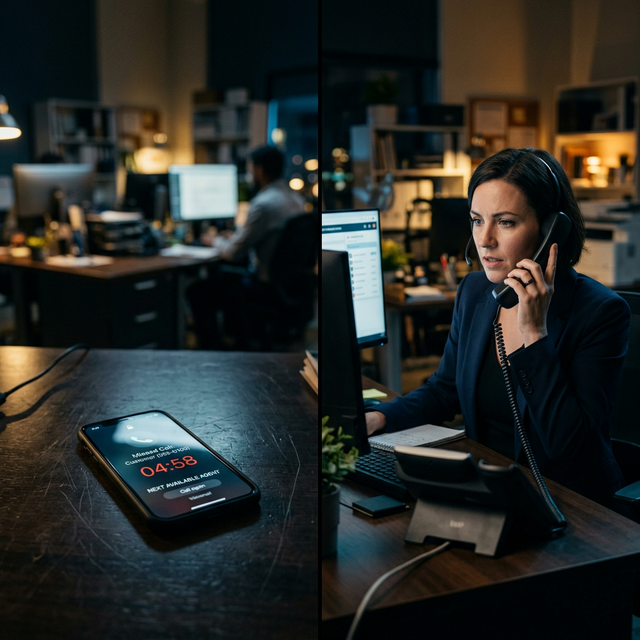
The 5-Minute Lead Response Rule: Industry Benchmarks Service Businesses Should Know
The five-minute lead response rule matters because buyers keep moving. Here is how service business owners should apply it to calls, forms, chats, and missed leads.

The Revenue Leak Diagnostic: A Free 15-Minute Diagnostic Any Service Business Can Run Today
Run a 15-minute Revenue Leak Diagnostic for your service business. Score after-hours calls, missed-call recovery, form response, reviews, and booking friction.