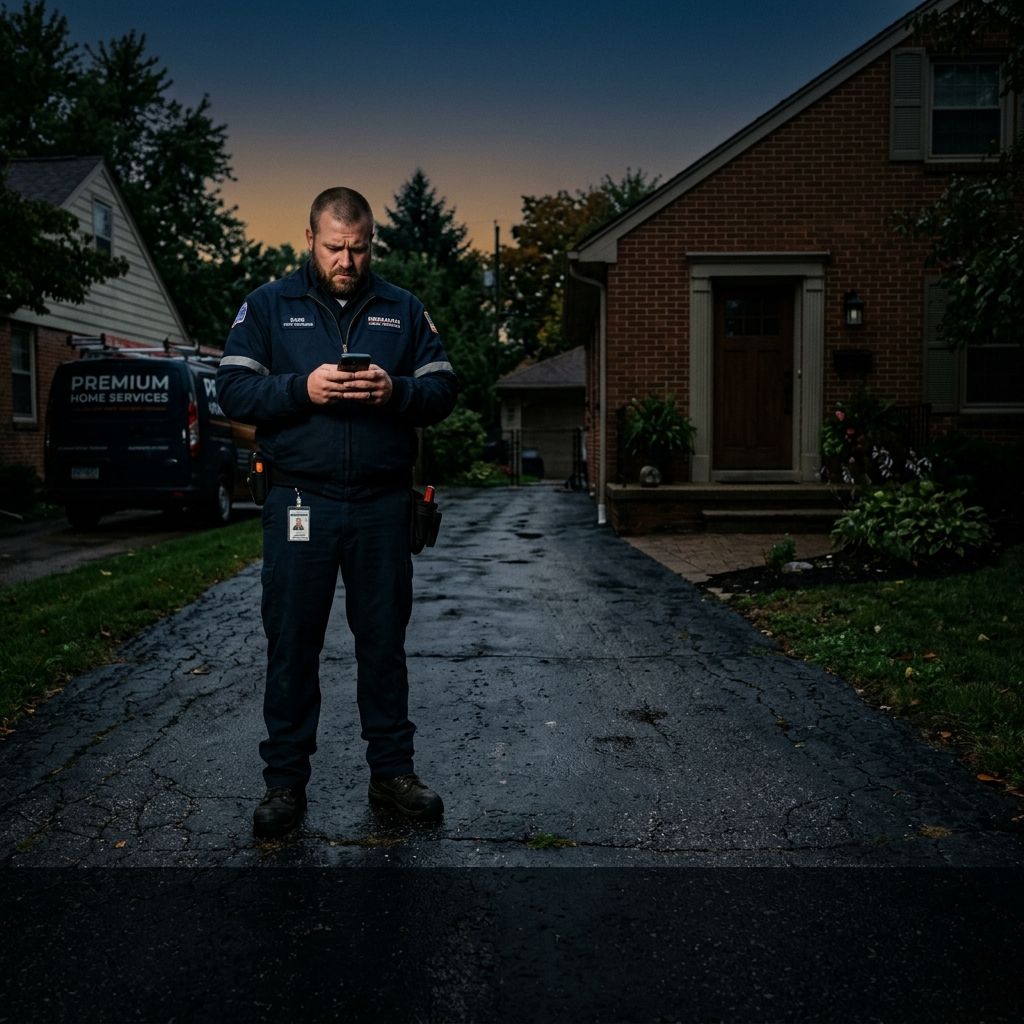
For a customer at home, this is the trigger to stop what they're doing, recover the gate, put the dog away, or come to the front door. Without it, the technician arrives at a locked gate with nobody expecting him for another 40 minutes.
Treat any number without a nearby source or stated method as a planning assumption, then replace it with your own records.
A technician drives 40 minutes to a job. He texts the customer from the driveway. No response. He knocks. Nobody answers. He calls the number in the work order. Voicemail. He waits 10 minutes. Then he calls the office. 'Is this the right address? The right day?' Yes and yes. The customer just isn't there.
Three hours later, the customer calls the office furious. 'Nobody told me you were coming today! I thought it was Thursday!' Both people in this story are right. Nobody communicated between the booking date and the job date, and the customer's mental model drifted.
The Five Communication Failures in the Gap
Failure 1: No Booking Confirmation
A customer calls and books. The job goes into the work order. But the customer never receives anything in writing. Their mental model is based entirely on a phone call they had last week, a memory that's already degrading. Three days before the appointment, they're not sure if it's Tuesday or Thursday.
Failure 2: No Reminder Before the Job
A reminder sent 24-48 hours before the appointment does two things: confirms the customer is still available, and prompts a rescheduling conversation before a no-show occurs. The customer who can't make it rescheduled. The customer who forgot remembers.
Failure 3: No Day-Of Arrival Window Communication
'We'll be there sometime Tuesday' is a communication failure. When the window narrows, when the technician's ETA is 30-45 minutes out, and you communicate that proactively, you give the customer back most of their day. 'Your technician is 35 minutes away and will arrive around 2:15pm.' That one message prevents more no-shows than almost anything else.
Failure 4: No On-the-Way Notification
For a customer at home, this is the trigger to stop what they're doing, recover the gate, put the dog away, or come to the front door. Without it, the technician arrives at a locked gate with nobody expecting him for another 40 minutes.
Failure 5: No Re-confirmation for High-Value Jobs
For jobs over $500 or scheduled more than 2 weeks out, a human or AI touchpoint 5-7 days before, 'Just confirming your project, any questions?', catches second thoughts before they become no-shows.
What This Gap Costs
A service business running 100 jobs per month with a 12% no-show rate loses 12 tech-hours per month to wasted drive time. At a fully loaded cost of $85/hour, that's $1,020/month in hard costs, not counting the opportunity cost. Reducing no-shows from 12% to 4% saves $680-$1,360/month in direct costs for a mid-sized service business.
The Sequence That Works
Day of booking: immediate SMS confirmation. 24-48 hours before: reminder. Day-of, window narrowed to 1 hour: arrival window update. 30-45 minutes before arrival: on-the-way notification. For high-value jobs: add a 5-7 day pre-job outreach. This is four automated messages and one touchpoint. 15 minutes of setup, returns within the first no-show it prevents.
Book a Revenue Leak Diagnostic to see where your booking-to-job communication is breaking down → /book-a-call
What to check before you choose a fix
Before buying another answering service, chatbot, phone tree, or AI receptionist, look at the actual path a consultation, case-fit, emergency, referral, or document-review inquiry takes when they reach your business. The first question is not whether the tool sounds impressive. The first question is whether the buyer gets a clear next step while they still care. In law firm operations, that usually means a fast answer, a useful question, a booked appointment or estimate path, and a follow-up record that does not rely on memory.
A strong system should make the business feel easier to choose. It should reduce the waiting, repeating, guessing, and manual chasing that make a buyer keep searching. If the current setup answers only during business hours, takes a message without qualifying intent, or leaves the follow-up to whoever remembers first, the problem is not only staffing. It is front-door design.
The week-one diagnostic
Run this review over the last seven days before making a decision. Pull the call log, website form submissions, chat history, booking calendar, CRM notes, missed-call list, and Google Business Profile activity. Do not start with opinions. Start with timestamps and outcomes. A small sample is enough to show whether the leak is response speed, qualification, booking friction, review weakness, or follow-up failure.
- Count every missed call and every call that lasted under 20 seconds. Those are often buyers who never became visible in the CRM.
- Count every form or chat that waited more than 10 minutes for a real next step. This is where high-intent demand starts cooling off.
- Mark every inquiry that needed a human callback before booking. That tells you whether the website is explaining the next step clearly enough.
- Review the last five reviews buyers can see publicly. Recency matters because buyers compare proof before they commit.
This is the source method for the article: use your own call log, CRM, booking calendar, form inbox, and Google Business Profile review activity. Public research can explain the pattern, but your own records show where money is escaping in this business.
Where the revenue usually leaks
The leak usually appears in one of four places. First, the buyer calls when the team is busy or closed. Second, the buyer reaches the business but is not qualified clearly enough to book. Third, the buyer receives a polite response but no firm next step. Fourth, the buyer finishes the job or visit but no review, referral, or reactivation path happens after the work is done. Each leak looks small by itself. Together, they decide whether marketing produces booked revenue or only more noise.
For a law firm, the most valuable fix is the one that protects speed-to-consult, fit screening, calmer intake, and referral trust. That is why the afternoon your technician found out the job got cancelled should be judged by business outcomes, not by novelty. A phone feature that sounds clever but does not improve booked appointments is not enough. A website widget that collects contact details but does not trigger follow-up is not enough. A review tool that asks once and disappears is not enough.
What a stronger system should do
A stronger front door answers quickly, asks the right questions, captures the reason for contact, separates urgent from routine demand, books when rules are clear, sends confirmations, updates the follow-up path, and asks for reviews after the work is done. The system should make the owner less dependent on heroic callbacks and make the buyer feel that the business is organized from the first touch.
The Quiet Protocol treats this as an operating system, not a single widget. Calls, web forms, missed-call text-back, appointment booking, CRM handoff, review requests, and reactivation all need to point in the same direction. When those pieces are connected, a law firm can capture more demand without turning the team into a bigger manual call center.
How to judge whether it is working
Do not judge the system by how futuristic it feels on day one. Judge it by what changes in the business. Useful measurements include missed-call recovery rate, average response time, booked appointment rate, no-show recovery, review request volume, review recency, reactivated past-customer conversations, and the number of leads that have a clear next action in the CRM.
The best early sign is calm. Fewer loose callbacks. Fewer mystery leads. Fewer buyers waiting for a reply. More conversations with a clear status. That is what good automation should feel like to the owner and to the customer.
Use your own records before you decide
Source: start with your call log, CRM notes, booking calendar, missed-call records, web form timestamps, and Google Business Profile. Those records show whether buyers reached you, how fast they heard back, what they asked for, and where the next step broke down.
For seven days, mark each missed call, late reply, unbooked form, stale estimate, and review request that never went out. That small sample gives an owner a practical picture of the front-door gap before they spend more on ads, software, or staff.
The moment a booked job starts becoming fragile
A booked job is not fully safe until the customer still remembers, still trusts the window, and still knows what happens next. The risk rises every day the business goes silent. The customer gets busy, the household schedule changes, a cheaper competitor calls back, or the original pain fades. Silence gives all of those things room to interfere.
In a booking-to-job audit, I would pull ten completed jobs and five no-shows, then read the customer communication history. I want to see the confirmation message, reminder, day-before or day-of update, technician ETA, and post-job closeout. If those messages are inconsistent, the business is relying on customer memory instead of a system.
The owner-first insight is uncomfortable but useful: many no-shows are not customer character problems. They are communication design problems. A customer who forgot may have acted differently if the business made the appointment feel real, current, and easy to manage.
What the confirmation message must contain
A confirmation should not only say 'you are booked.' It should include the service type, date, arrival window, address, preparation note, cancellation/rescheduling link or instruction, and what the technician will do first. That small amount of detail lowers anxiety and reduces support calls.
For high-value or high-friction jobs, add one human-feeling line: 'If anything changed since we spoke, reply here and we will adjust before the technician heads out.' That line prevents wasted dispatches because it invites the customer to surface problems before the truck is already moving.
AI and automation are useful here because consistency matters more than cleverness. The best system is not the flashiest one. It is the one that sends the right message every time, at the right moment, in language the customer understands.
What is the fastest booking-to-job fix?
Send a clear written confirmation immediately after booking, then a reminder 24 to 48 hours before the job. That catches most memory drift before it becomes a no-show.
Do all jobs need the same reminder sequence?
No. Jobs booked far in advance, high-value jobs, and jobs requiring customer preparation need more confirmation than same-day urgent jobs.
How I would segment reminders by job risk
Not every appointment deserves the same communication weight. Same-day emergency jobs need speed and ETA clarity. Jobs booked more than seven days out need memory reinforcement. Jobs requiring preparation need instructions. High-ticket jobs need reassurance and a chance to ask questions before the truck rolls. Treating all jobs the same is how reminder systems become noisy and still miss the important risks.
I would tag jobs by risk at booking: same-day, far-out, high-value, access-sensitive, preparation-required, or standard. Then the reminder sequence follows the tag. That keeps the system useful instead of spraying identical messages at every customer.
The loss estimate is basic business math, not a magic claim.
Revenue-leak examples on this site are built from visible operating inputs: inquiry volume, missed-call or slow-response rate, booking rate, average job or client value, repeat value, and follow-up recovery. The fastest way to make the number real is to run the diagnostic for your closest business type, then compare it against your own call log, CRM, booking calendar, form timestamps, and review activity.
The practical questions behind this decision.
Is this just a 24/7 answering service?
No. A traditional answering service usually takes a message. A properly designed AI receptionist and front-door system captures intent, qualifies the buyer, routes the request, books when possible, triggers follow-up, and supports reviews after the work is done. Message-taking is coverage. Revenue capture is a fuller operating path.
What should a law firm fix first?
Fix the first place buyers disappear. For some businesses that is after-hours calls. For others it is slow website follow-up, weak booking logic, old leads, or stale reviews. The right first move comes from the seven-day diagnostic, not from guessing.
Will AI make the business feel less human?
Bad automation feels colder than a person. Good automation feels like the business is paying attention. It answers quickly, uses plain language, collects the right information, and hands the buyer to a human when judgment or empathy is needed. The goal is not to remove people. The goal is to stop making buyers wait for basic next steps.
How fast should we expect improvement?
The first lift should come from visibility and speed: fewer missed opportunities and cleaner routing. Deeper gains come after the system has enough real conversations to tune scripts, booking rules, follow-up timing, and review requests. Treat the first month as deployment and calibration, not a magic switch.
What is the fastest booking-to-job fix?
Send a clear written confirmation immediately after booking, then a reminder 24 to 48 hours before the job. That catches most memory drift before it becomes a no-show.
Do all jobs need the same reminder sequence?
No. Jobs booked far in advance, high-value jobs, and jobs requiring customer preparation need more confirmation than same-day urgent jobs.
Locate the point where interested buyers stop hearing from the business.
Review one customer journey from first inquiry through booking, estimate, reminder, and recovery.

Vikram Roy is the founder of The Quiet Protocol, a Toronto-based systems firm serving service businesses across the Greater Toronto Area, Canada, and the United States. He works directly with professional firms, home service companies, dental practices, clinics, and local businesses to connect websites, customer intake, booking, reviews, follow-up, and practical AI into a clearer digital front door. All content is written from Toronto, Ontario. See the editorial method →
Use the diagnostic to locate the handoff where good inquiries, estimates, appointments, or past customers stop moving.
See how the capability in this article fits into a complete customer journey.
Legal, Financial & AdvisorySee the same decision through the language, buyer behavior, and operating reality of this industry.
Client Results & ProofInspect the starting condition, installation, measurement window, and outcome behind real client work.
AI Intake for Toronto Law Firms: An Ontario Readiness Guide
A practical Ontario-focused guide to prospective-client intake, confidentiality, privacy, conflict gates, human handoffs, and responsible AI system evaluation.
AI for U.S. Law Firms: A Buyer’s Guide to Intake Systems
A practical framework for comparing law-firm AI intake systems, defining professional boundaries, testing failures, and choosing a responsible implementation path.

AI Intake for Personal Injury Law Firms in the United States
A practical guide to approved intake, consent, booking, human review, and accountable AI use for United States personal injury law firms.