
How to ask for Google reviews starts with a small courtesy: invite someone to describe the service they actually received, then leave the decision with them.
The request does not need to become a performance. A completed tax engagement, a repaired furnace or a finished cleaning visit gives you a sensible moment to ask. The customer still has a life outside your star rating.
I would build the process around one neutral invitation, a possible reminder and an easy way to stop. That is the starting point for TQP's Review Growth System. We configure the real service event, message, timing and response handoff, then maintain the installed process. You get a dependable request routine without adding another remembering job to the front desk.
Ask after something real has happened
Pick an event that means the customer has enough experience to comment. For an accountant, that might be delivery of the agreed work. For a trades business, it might be the completion of a service visit. A booked appointment is usually too early to review the work that has not happened.
Define that event in the business's own language. “Job completed” should not mean that an invoice was created while the technician was still driving there. If staff cannot tell when the request is due, automation will send a consistent version of the wrong message.
Use the same eligibility rule across comparable customers. Google's review policy prohibits selectively soliciting positive reviews. A satisfaction survey that sends happy customers to Google and unhappy customers into a private form is not a neutral request process.
Keep a direct support route available to everyone. A customer should be able to contact you about a problem without first becoming a public reviewer, and should be free to leave an honest review without passing a happiness test.
A request you can actually send
This is an illustrative message. Replace the bracketed details with your real business name and working review link, and use only a channel you are permitted to use for that recipient.
Hi [first name], thank you for choosing [business]. If you'd like to share your experience, you can leave an honest Google review here: [review link].
We appreciate your feedback. If you need help with anything, you can also reach us at [business contact].
No request for five stars. No suggested paragraph. No instruction to mention the technician's name or a particular keyword. The customer's words belong to the customer. Google's policy allows genuine invitations without influencing the rating or content, and prohibits incentives and on-premises pressure. Don't stand beside a customer waiting for them to finish typing. Read the policy conditions.
You can obtain the business's review link or QR code through its Business Profile. Check the destination yourself before putting it into messages or printed material. Google explains the available request tools.
| Job type | Best moment | Channel |
|---|---|---|
| On-site service visit | Within a day of finishing | Text with one link |
| Appointment at your office | Same day, after they leave | Text, with email as backup |
| Project that takes weeks | At handover or final invoice | Email, plus a text reminder |
| Customer who said thank you in person | Right then | QR code or a link on the invoice |
A reminder needs an ending
My starting recommendation is a single optional reminder after a reasonable interval for your service and customer relationship. This is an editorial recommendation, not a Google requirement or a universal timing benchmark. Some engagements do not need a reminder at all.
Keep it brief: “A quick follow-up to our review invitation. If you'd like to share your experience, here's the link. No further reminders from us.” Then honour that last sentence.
Silence is not permission to escalate. Don't send the same request through email, text and a personal call because one channel did not produce a review. Make opt-outs and do-not-contact records work across the process. Check the applicable messaging permissions before using a channel; a completed job is not a blanket permission for every kind of message.
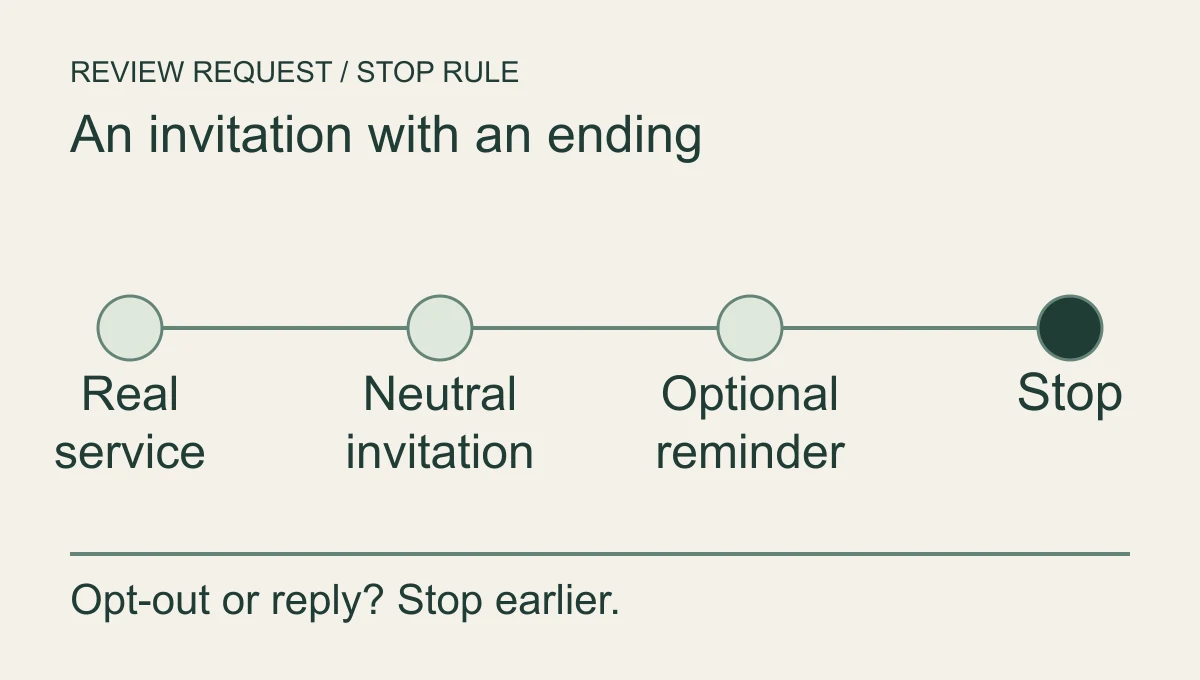
If someone replies with a complaint, assign it to a person. Do not keep asking for a review while that person is trying to get a callback about unfinished work. This is a communication stop rule, not a scheme to withhold invitations from customers who might be critical. Their original neutral invitation and ability to review remain intact.
What the software should remember
Good automation remembers the approved service event, the contact channel, whether a request has already been sent and whether further contact should stop. It does not invent a customer's experience or write a review on their behalf.
This is why I recommend buying TQP's implementation and continuing care, rather than leaving staff with a message template and another login. We test the invitation, link, reminder and stop conditions as a journey. We keep the agreed sends and alerts working, with a person assigned to the exceptions that need judgement.
Give someone responsibility for exceptions. Check a small set of actual sends for duplicate requests, wrong names, broken links and messages triggered before completion. Look at replies and delivery failures as well as new reviews. A system can look productive on a dashboard while being irritating in an inbox.
For accounting work, avoid naming a filing, account balance or other confidential detail in the request. “Thank you for choosing the firm” is quite capable of doing its job without carrying the client's private business along with it.
When a review arrives, a human owns the response. An assistant can help draft, but somebody accountable should approve the words, particularly where the review touches a dispute or sensitive service. The negative-review reply guide covers that decision separately.
Approve the message before buying the machinery
Send yourself the invitation. Click its link. Run the stop condition. Have a staff member explain what happens after a customer replies. If those basics are unclear, adding more automation will mostly make the confusion travel faster.
The accounting review-system guide goes further into responsibility and privacy for firms. For the public foundation those reviews sit beside, choose Local Ranking Accelerator annual: US$990 prepaid for twelve months for one location, equivalent to US$82.50/month, with no setup fee and one-time Google Business Profile optimization included. We keep your business details synchronized across connected listings and monitor their health, so new feedback leads customers to a current business and a usable contact route.
Review Growth is a separate service for the invitation and response journey. Bring us your completion event and present message. TQP can turn a good intention into a respectful process that keeps running while the team gets on with the work.
Frequently asked questions
What is a good way to ask for a Google review?
Use a short, neutral request after a real service experience and provide the review route. Let the customer choose their own words. Avoid incentives or a process that only invites customers who say they are happy.
When should a review reminder stop?
Set an ending before the request starts. Stop or change the sequence when the customer replies, the relevant service state changes or the approved reminder limit is reached.
How does TQP make review requests easier to maintain?
We connect the approved request to a real service event, sensible reminders and the staff work that follows a reply. The system carries the habit without making you remember every request or filter feedback by sentiment.
Start Local Ranking Accelerator annual for current listings and included profile optimization. Ask us to add a review-growth process with neutral invitations, working stop rules and human follow-through.
Pair a maintained local presence with review growth