

Audit the full trust path: the search result, landing page, service explanation, proof, Google Business Profile where the business is eligible, review activity, contact information, intake path, and the response after inquiry. A weakness at any point can make a visible business feel uncertain.
This article links to 5 external sources beside the claims they support.
A website can rank for a useful search and still lose the decision. The buyer opens the page, sees a vague promise, cannot tell whether the firm handles the exact situation, finds little proof, and returns to the search results. Visibility created the opportunity. Trust, clarity, and a useful next step failed to carry it forward.
Established firms face a second audience as well. Search engines and AI systems must connect the business to consistent facts, services, locations, expertise, and evidence. They use more than the website, but the website remains one of the most controllable sources a firm owns.
The practical standard is human trust plus machine credibility. People should understand why the firm fits. Search and AI systems should find clear, consistent, supported information. Neither outcome comes from adding fashionable labels to a thin site.
The short answer: ranking earns a visit, not the decision
A ranking can show that a page is relevant enough to be surfaced for a query. It does not prove that the offer is easy to understand, the evidence is persuasive, the business facts are consistent, or the next step feels appropriate. Those are separate jobs.
Audit the full trust path: the search result, landing page, service explanation, proof, Google Business Profile where the business is eligible, review activity, contact information, intake path, and the response after inquiry. A weakness at any point can make a visible business feel uncertain.
Human trust and machine credibility share the same foundation
People need a reason to believe and a safe way to act
A buyer rarely evaluates design in isolation. They look for signs that the firm understands the problem, works with businesses or customers like them, operates in the right market, has handled similar decisions, and will not waste their time after contact.
That is why a professional website needs more than an attractive home page. Service pages, proof, team or author context, policies, locations, FAQs, and intake paths should support one coherent story. The visible experience should reduce uncertainty instead of asking the visitor to assemble the story alone.
Search and AI systems need clear, consistent, accessible facts
Machine credibility is not a secret score that a vendor can install. It is the cumulative effect of accurate information, crawlable pages, useful context, consistent organization details, relevant links, supported claims, and markup that matches what visitors can see.
Google's guidance on helpful, reliable, people-first content asks whether content provides substantial value, demonstrates first-hand expertise where relevant, and leaves the reader with a satisfying understanding. It also warns against changing dates merely to make pages appear fresh. A real update must materially improve the page.
Start with identity and service consistency
The firm's name, primary contact details, service area, hours, service descriptions, and credentials should not contradict one another across important pages and profiles. Small inconsistencies may be harmless individually, but together they can create doubt for buyers and ambiguity for systems trying to identify the business.
- Identity: Use the same recognizable business name and a clear explanation of what the firm is.
- Eligibility and location: State where and how the business serves customers without inventing offices or coverage.
- Service fit: Describe real services with enough depth to help a buyer distinguish them.
- Contact path: Keep phone, form, booking, and response expectations current.
- Credentials and boundaries: Present applicable qualifications accurately and avoid implying expertise, licensing, or availability that the firm does not have.
Build service pages that answer the buyer's decision
A service page should do more than repeat the service name with a city or industry added. It should explain who the service is for, the situation that creates demand, what the firm actually does, what information is needed, where the boundaries sit, what the next step involves, and what evidence supports the promise.
That depth helps a person self-qualify. It also gives search and AI systems passages with enough context to understand the relationship between the organization, service, audience, and market. The Smart Website system treats these decision paths as part of the front door rather than as a page-count exercise.
Use plain language before technical labels
A CPA firm can explain tax planning, advisory, cleanup, and ongoing accounting in language a business leader recognizes. A clinic can explain access, suitability, preparation, and next steps without turning the page into a textbook. Technical terms still belong where they are accurate, but the customer should not need industry training to decide where to go.
Tie every important claim to useful proof
Proof is strongest when it answers the claim beside it. A general testimonial may support sentiment. A case study can explain the initial problem, the work, the operating conditions, and the result. A credential can establish qualification. A process artifact can demonstrate rigor. Each proves something different.
Do not manufacture precision. If a client name is confidential, explain the context without exposing it and retain the underlying evidence privately. If a result cannot be attributed to one intervention, present it as a directional example rather than a guaranteed outcome. The public proof and case-study library should help a careful buyer inspect the type and strength of evidence.
- Place proof near the service or claim it supports.
- Separate customer sentiment from measured operational outcomes.
- Explain the period, starting condition, and relevant scope when publishing a result.
- Keep guarantees, universal benchmarks, and invented client stories off the page.
Use Google Business Profile and reviews where the business is eligible
For eligible local and service-area businesses, a Google Business Profile can reinforce identity, category, location or service area, hours, contact information, photos, and reviews. It is not available to every business model, and it should not be created with a virtual office or misleading address.
Google's Business Profile representation guidelines call for accurate representation, consistent real-world naming, precise service areas, and the fewest specific categories required to describe the core business. Those rules matter more than keyword decoration.
Treat reviews as an active trust surface
Review quality is not only the star average. Buyers also notice recency, specificity, patterns, and whether the business responds professionally. Google explains that verified businesses can reply publicly to reviews. A useful reply can acknowledge the experience, add appropriate context, and show that the firm pays attention without exposing private information.
The website and profile should tell the same essential story. If the website promises one specialty while the profile emphasizes another, or if the service area and hours conflict, the buyer receives friction instead of reinforcement. Review requests, thoughtful responses, and Google Business Profile support can be part of the operating system, but the underlying facts still need responsible human ownership.
Make machine-readable information match the visible page
Structured data can help search systems understand page meaning, organization details, and eligible content types. Google's Organization structured data documentation explains how organization properties can support understanding and disambiguation.
Markup is not a shortcut to rankings or recommendations. Google's general structured data guidelines state that correct implementation does not ensure display in search results. Markup should describe accurate, current information that people can also verify on the page.
- Organization and local details: Use the correct entity type and only applicable properties.
- Services and pages: Keep titles, headings, links, metadata, and visible copy aligned with the real subject.
- Authors and reviewers: Show who created or reviewed expertise-sensitive content when that context helps the reader.
- Images and media: Use descriptive alternatives and avoid decorative assets that slow the page without adding meaning.
- Validation: Test markup and rendered pages, then monitor search reporting rather than assuming deployment equals discovery.
AEO and GEO are useful shorthand, not separate magic channels
Answer engine optimization means making answers easy to find and verify
AEO is commonly used to describe content structured around clear questions, direct answers, supporting context, and authoritative sources. A strong answer should remain useful when read as a passage, while the full page supplies the nuance and next decision.
Generative engine optimization means strengthening citation and recommendation readiness
GEO is commonly used for work intended to help generative systems understand, retrieve, and cite a business or its content. In practice, that means clear entities, specific services, original evidence, consistent facts, accessible pages, meaningful internal links, and language that can be supported.
Neither label can promise a recommendation. AI systems use different sources, retrieval methods, freshness windows, and safety rules. The defensible strategy is to publish the best supported answer, make the organization easy to identify, and maintain the information over time. See the full Search and AI Readiness framework for the operating standard.
Audit the five moments that determine whether attention becomes trust
- The result earns the click. The title and description match the real question without promising what the page cannot deliver.
- The first screen confirms fit. The visitor recognizes the service, market, problem, and credible reason to continue.
- The page answers the decision. Services, scope, process, proof, and FAQs reduce the uncertainty that blocks action.
- The next step matches intent. A buyer can call, inquire, book, or continue research without entering the wrong path.
- The business responds usefully. The form, phone, calendar, and team handoff continue the same promise after contact.
If the failure begins after the form submits, use the form-to-first-response audit. If you do not yet know where the largest gap sits, the Revenue Leak Diagnostic can frame the questions before you validate them with your own records.
Use a 12-point trust and authority audit
- The home page names the real audience, problem, and differentiated system in plain language.
- Each priority service has a substantial page written around a real buying decision.
- Location and service-area claims match actual operations.
- Business name, contact information, hours, and primary services remain consistent.
- Important claims have nearby proof, sources, or an explicit boundary.
- Case studies explain context and do not imply universal outcomes.
- Eligible Google Business Profiles are complete, accurate, and actively maintained.
- Review requests and responses follow a professional, privacy-aware process.
- Every key page has one useful next step and a working response path.
- Structured data matches the visible content and passes validation.
- Pages work on mobile, load efficiently, and remain readable without interaction tricks.
- Dates change only when the page receives a material editorial update.
Choose the website scope that matches the authority gap
Website Foundation
Use a focused foundation when the firm needs a credible, clear front door for a primary offer and intake path. It should establish the identity, service, proof, trust basics, and next step without pretending to be a large authority publication.
Conversion Website
Use a Conversion Website when the firm has multiple services or buying paths and needs stronger positioning, proof, decision architecture, and platform connection. The goal is to turn more of the attention the business already earns into qualified conversations.
Authority Website
Use an Authority Website when expertise, reputation, search visibility, and a broader content system influence the sale. The scope should support deeper service architecture, stronger evidence, search and AI readiness, and an operating plan for maintaining the authority after launch.
Review the current website investment paths to compare the scopes, then examine the results and operating improvements a connected front door is designed to support. A larger build is not automatically better. The right scope is the smallest one that can make the firm's real expertise clear, credible, and actionable.
What a stronger digital front door changes
The visitor sees one coherent business instead of disconnected pages and profiles. The service feels specific. The evidence fits the claim. The location, expertise, and next step are clear. Search and AI systems encounter the same supported facts in accessible content and appropriate markup.
That is the practical difference between buying pages and building a system. If your firm already ranks but the website no longer represents the quality of the business, book a Systems Review. We will identify whether the first gap is positioning, trust, search and AI readiness, intake, or the handoff after inquiry.
The practical questions behind this decision.
Does a high Google ranking mean the website is trustworthy?
No. A ranking can earn visibility for a query, but the buyer still evaluates service fit, clarity, proof, reputation, usability, and the next step. Audit both discovery and the on-page decision.
Are the website and Google Business Profile the only sources AI systems use?
No. AI systems may use search indexes, third-party publications, directories, reviews, structured data, and other sources. The website and an eligible Business Profile are important because the firm can maintain them directly and use them to keep core facts consistent.
Will AEO or GEO make an AI system recommend the business?
No. These terms describe useful practices for answer clarity, entity understanding, retrieval, and citation readiness. No responsible provider can promise a recommendation from a search engine or generative system.
Should every business create a Google Business Profile?
No. The business must meet Google's eligibility rules. Online-only businesses, virtual offices, and some other models may not qualify. Use the website and other legitimate authority sources rather than creating a misleading profile.
When should an established firm rebuild instead of revise its website?
Rebuild when the current structure cannot support the real services, evidence, decision paths, accessibility, performance, or platform connection without repeated workarounds. Revise when the structure is sound and the gap is limited to specific pages, facts, or handoffs.
See whether the website can move interest into a useful next step.
A credible website still fails when a buyer cannot recognize the right service, trust the business, or complete the next action.
See how website clarity, public proof, and structured business facts support human trust and machine credibility.
See how the capability in this article fits into a complete customer journey.
Service BusinessesSee the same decision through the language, buyer behavior, and operating reality of this industry.
Client Results & ProofInspect the starting condition, installation, measurement window, and outcome behind real client work.

Website Leads Not Converting? Audit the Form-to-First-Response Gap
A practical audit for service businesses and professional firms whose website receives inquiries but too few become useful conversations, appointments, or qualified next steps.
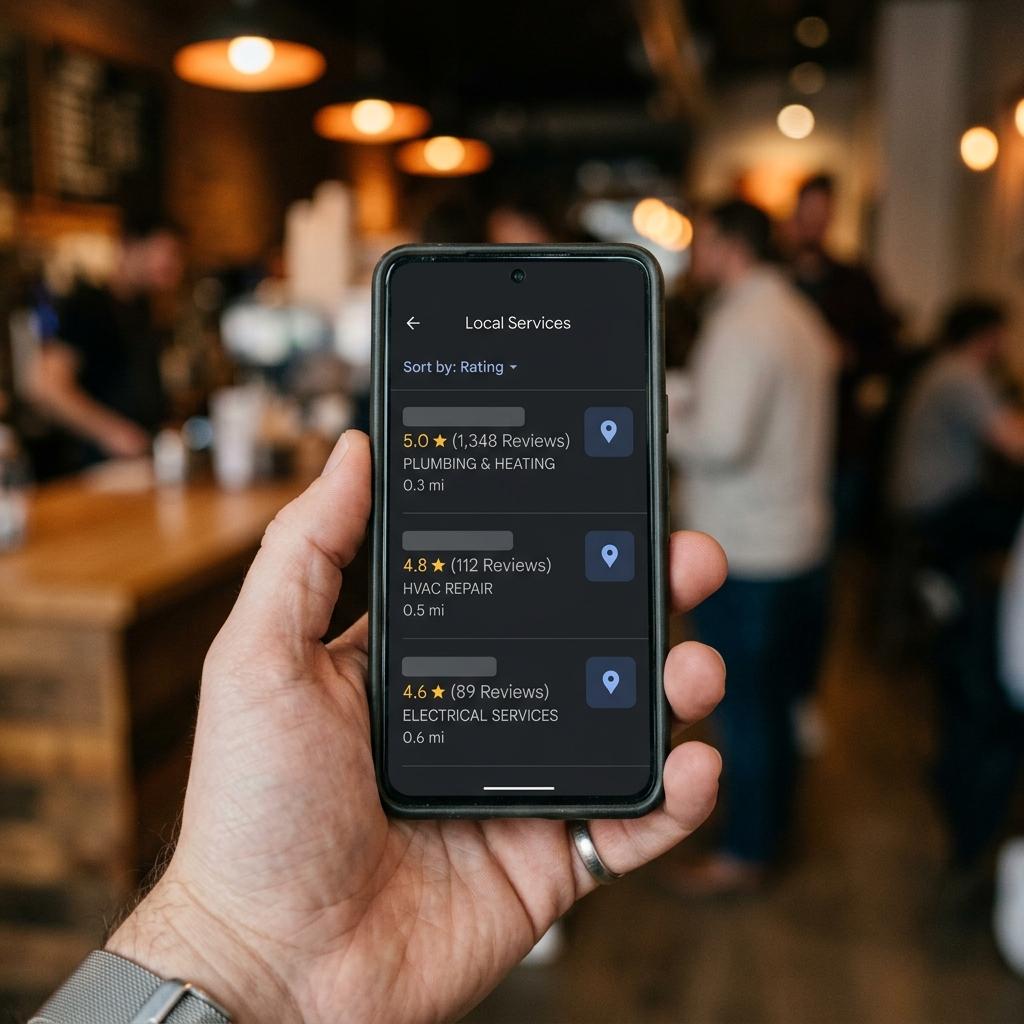
How Google Reviews Actually Affect Service Business Revenue (It Is Not Just About Star Rating)
Google reviews affect service business revenue through three distinct mechanisms: Maps ranking, click-to-call conversion, and first-contact trust. Understanding all three changes what a review strategy should look like.

Delegate Customer Intake Without Losing Control
A practical handoff playbook for turning owner judgment into clear intake rules, decision rights, escalation paths, and measurable customer care.