
A website handover checklist should leave you able to operate, change providers and receive the next customer without asking your outgoing agency for permission. Start with domain ownership and account access, then test the forms, booking routes and connected systems. The site changing hands should not stop your business receiving work.
You say, “We own the website.” Then your domain renewal goes to a former employee, the contact form belongs to the designer's account and nobody knows where the booking confirmation is sent. Ownership has become a sentence everyone likes. It has not yet become a working arrangement.
This is why I would hire a systems provider to carry the handover, rather than ask a new designer to copy the pages and hope the rest follows. At The Quiet Protocol, we consider the website and the work behind it together: account control, useful content, customer contact and the receiving team. The point is to make the next arrangement easier to live with, not merely newer to look at.
Five things hiding inside “our website”
The domain is the address. Hosting serves the site. The content explains the business. Forms and booking receive requests. Connected accounts move those requests into the work your people carry.
These can belong to different accounts and different contracts. A registrar login does not prove you have the site's source files. A folder of source files does not establish that your business email will keep working after someone changes the domain settings.
ICANN's domain-transfer guidance describes registrar processes and transfer restrictions. Treat that as one specific part of the move, rather than a promise that transferring the address transfers the whole business system. ICANN domain transfer guidance
Ask your provider to fill in this register before agreeing to the move. Put the actual account and business owner in the record, not passwords in a shared document.
The custody register
- Domain and renewal
- Registered holder, business-controlled account, renewal contact and transfer route.
- Hosting and deployable site
- Current host, source or export rights, backups and the person authorized to move them.
- Email and business records
- Services using the domain and settings that must remain available during the website move.
- Forms and booking
- Receiving account, calendar, confirmation and fallback contact.
- Connected services
- Analytics, listing destinations and any approved customer-system connections the site needs.
If a row cannot be completed, that is a job to resolve before the old arrangement ends. It is much easier to obtain a clear export while everyone is cooperating than after the invoice dispute has become the office's afternoon entertainment.
- Domain: registered in your business's name, with your email as the account owner and the renewal date written down.
- Registrar login: held by you or a named person at your business, never only by the agency.
- Hosting account: you know who pays for it, who can log in and what happens if it lapses.
- Site files or an export: a copy of the content, images and any custom code, stored outside the agency.
- Forms: a list of every form, where its submissions go and who receives them.
- Booking and payments: which accounts they run in and who controls them.
- Business email: which settings on the domain it depends on, so a change does not break it.
- Analytics and Google accounts: your Search Console, Analytics and Business Profile access, owned by you.
- Passwords and two-factor devices: recorded where two people at your business can find them.
- Old page addresses: a list, so important ones get a deliberate redirect.
An email to send your current agency
Hello, we are reviewing our website arrangements and need a handover summary. Please send: the domain registrar and the account holder's name, the hosting provider and who has access, an export or copy of the site files, a list of every form and where its submissions are delivered, and any accounts the site depends on. We also need to know your notice period and any fees for a transition. Please reply by [date].
Keep the tone neutral. You are gathering facts, not starting an argument. If ownership or contract terms are disputed, take advice before acting.
Keep customers out of the provider change
Consider an illustrative service company moving its website while retaining its business email. The outgoing agency proposes changing the domain's settings to point at the new host. Before anyone does it, identify which settings the email service uses and who will check them afterward.
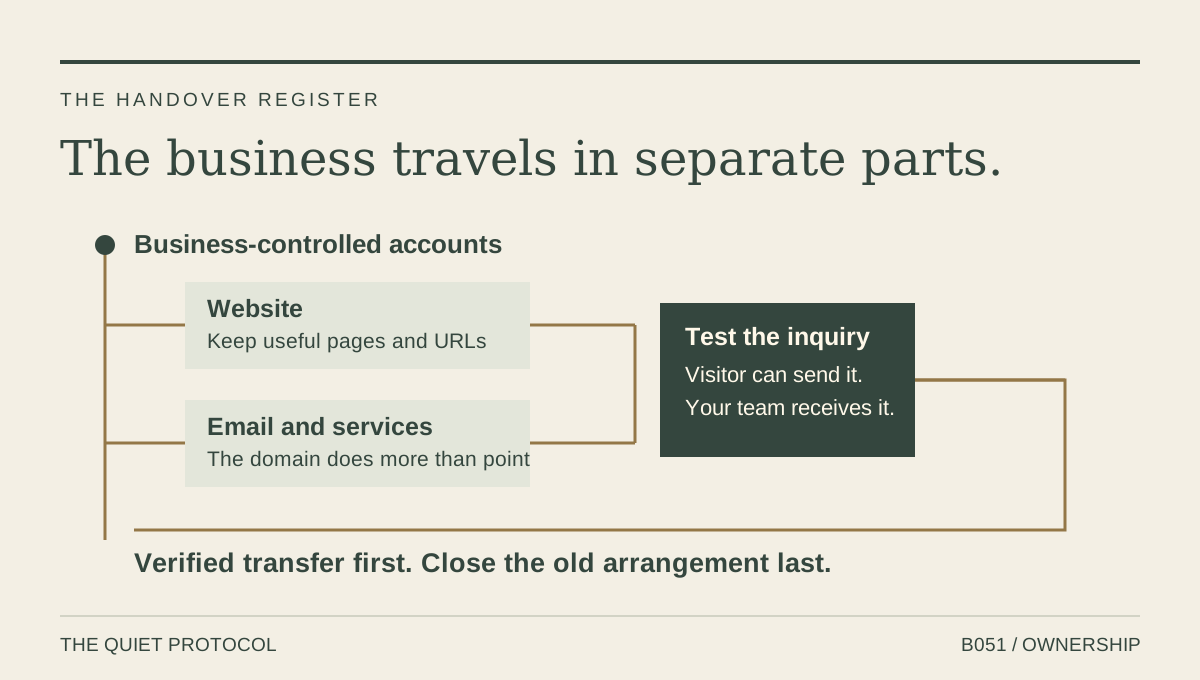
The visitor should still be able to call, submit the right request and receive the truthful next step. Your people should still receive the record. A website move is unfinished until both sides of the contact work.
The website form and response guide explains why the receiving side belongs in this check. Make the preservation list explicit: important page addresses, contact numbers, current service information, useful documents and inquiry destinations. If a page's address changes, give it a deliberate successor. Do not send every old service page to the home page because that is quicker for the builder.
Ask for a handover you can verify
A useful request is concrete: “Please identify the business-controlled domain account, provide the agreed source or export, list the services that use the domain and show where each inquiry is received.” It asks for the things the next provider needs to carry, without becoming an argument about whose dashboard looks better.
Do not casually cancel the old host while the new provider is still finding the files. Agree a transition period, a backup and a person who can restore the working path. Check the contracts for notice periods, intellectual-property rights and service responsibilities. Where ownership is disputed, get the appropriate advice rather than treating a technical transfer as a legal decision.
The new provider should demonstrate a real business change, an approved contact-form test and a relevant booking or callback path. Verify the email service separately. Write down which provider now handles each continuing job and where you can obtain help.
Approve the preview before you release the old site
Use your own phone and the new site's preview link. Keep a short record of what passed and what needs a correction. This is an acceptance checklist, not a promise that every migration fits a fixed-price website package.
- Open your important old pages. Name the new destination for each service page you still need. If an address changes, agree the relevant redirect instead of sending everything to the home page.
- Read the business facts. Check service areas, hours, numbers, credentials and claims against information you supplied. Attractive wording is no excuse for selling work you do not do.
- Test both sides of the form. Agree a labelled test, submit it, verify that the intended inbox receives it and read the visitor's confirmation. Remove the test record afterwards.
- Check the small screen. Open the menu, read a service page and use the contact buttons without zooming. A desktop screenshot cannot tell you whether this works.
- Keep the move reversible. Agree who changes the domain settings, who verifies email and where the backup lives before ending the old hosting arrangement.
Search visibility can fluctuate during a site move. Preserve useful URLs where practical, map changed addresses to relevant successors and check the new site before switching. Google's site-move guidance explains those checks and the need to monitor afterward. A redesign is not a guarantee of unchanged rankings.
For a straightforward service-business site, the Essential Website preview and scope give you a concrete place to start. Tell us about existing pages, domain and email arrangements before you commit. Booking, qualification and custom integrations need a separately agreed system scope.
The next provider should make you less dependent
The right outcome is not a new agency with all the same keys in a different drawer. It is clear business control and a provider carrying defined responsibility.
Choose the Essential Website when you need a clear, cared-for website foundation. Choose a TQP Smart Website when the website must connect to qualification, booking or follow-up. We scope the relevant handover and receiving work together, so you do not have to act as the interpreter between a designer and the person who answers the next inquiry.
You should be able to leave the office knowing who owns the accounts and who carries the work. That is a more useful version of “we own the website.”
Frequently asked questions
Does a domain transfer move the whole website?
No. Domain registration, hosting, site content, email and connected contact systems need separate checks. Map them before the move and verify the customer's contact path afterward.
What should an agency handover include?
Include business account control, agreed source or export rights, useful URLs and content, services using the domain, inquiry destinations and continuing maintenance responsibility. Keep passwords out of a general handover document.
Why choose TQP for the next website arrangement?
We design the website and the customer work behind it together. The handover preserves the useful path, while the new system connects the appropriate inquiry, booking and receiving jobs with clear ongoing responsibility.
We map the existing site and customer routes, agree what should be kept and connect the new website to the receiving work. You retain clear account control and get a system your team can operate.
Plan a TQP website handover