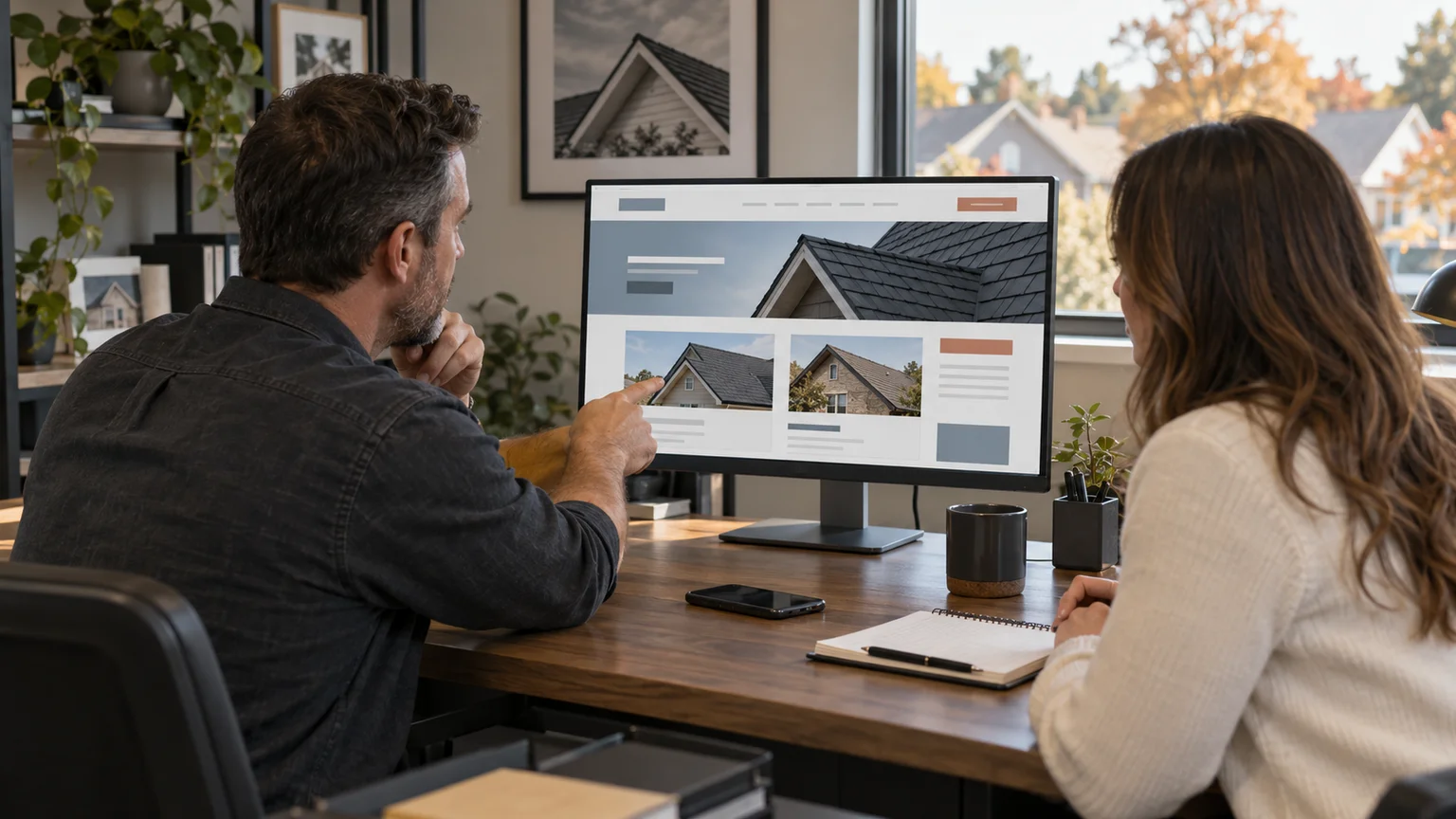
Roofing website examples are most useful when you study how they prove the work. Believable project evidence, a plain explanation of your services and an easy inspection request do more than any animation. A homeowner should recognize their problem and contact you without learning how your office works.
I recommend a TQP Smart Website because we build the custom design and the agreed intake and follow-up together. Your roof photos deserve a good presentation. The person asking about their own roof also deserves a clear next step.
I reviewed two public roofing galleries on October 3, 2026. The observations below describe visible choices, not either company's results. The illustrations in this article are original editorial art. Your own project gallery should use photographs you have permission to publish from the work you actually completed.
Example one: separate the projects your customers need to see
Precision Roofing's Lee's Summit gallery separates residential and commercial roofs. The page includes roof photos, a phone link in the header and estimate actions. That simple distinction helps different customers find the relevant kind of work.
Use the same principle on your own site. A homeowner with a leaking pitched roof and a property manager responsible for a commercial building have different questions. Organize the gallery around the work you sell rather than the order in which somebody uploaded the pictures.
Give each useful project a short explanation: the roof type, the work involved and the stage shown. A picture of underlayment is not the same as a finished roof. Explain what the customer is looking at. You do not need a dramatic story or an invented savings figure to make real work useful.
Keep the contact action close to the evidence. After a visitor sees relevant work, make it easy to ask about their property. TQP can connect that request to your customer record and the agreed person responsible for responding.
Example two: explain the photograph before asking for the inquiry
Blackstone Roofing Group's Arizona gallery labels roof systems and project stages. Its navigation distinguishes inspections, installations, replacements, completed roofs and crews. The page also provides an inspection action and reminds visitors that their own property needs assessment before a recommendation.
That combination gives you a useful design lesson: show the work, explain the work and make the next step clear. A gallery can build confidence without pretending a photograph diagnoses somebody else's roof.
You can apply this to a repair page, a replacement page or commercial roofing. Choose a few relevant photographs with readable captions. Tell the visitor what an inspection request starts. If your office needs to review the address and roof need before confirming a visit, say so beside the button.
Do not let a design agency turn every service into the same contact form with a different heading. TQP scopes the request around your business. A commercial assessment can ask for the right contact and property type. A residential inquiry can begin with the roof problem and callback details.
Your gallery needs useful captions, not more decoration
Before you approve a website redesign, collect your best usable project photographs. Check publication permission and avoid exposing customer details that do not belong on a public page. Keep the original files so the designer can prepare sharp, efficient images for different screens.
Write captions in ordinary language. Explain whether the image shows inspection, repair, installation or completion. Describe the visible roof system when you know it. Use accurate alternative text for the photograph, rather than filling it with a list of towns and roofing keywords.
Put genuine credentials where a visitor can understand them. Keep current licensing and manufacturer information accurate. A page full of badges is less useful when nobody can tell which business holds them or what they mean.
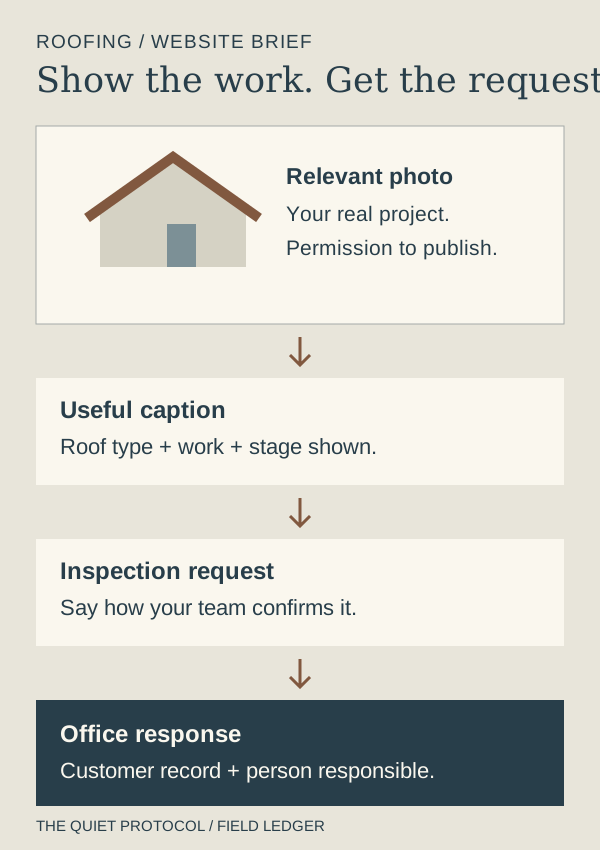
Send your designer a project brief like this
- The photograph
- A real image you may publish, prepared for a phone as well as a large screen.
- The explanation
- The roof type and work shown, with a short caption that helps a customer understand it.
- The next step
- A relevant inspection or inquiry action, with clear instructions about confirmation.
- The office response
- The person responsible, customer details needed and agreed follow-up if the request is unfinished.
Build the inspection response while you build the website
Your customer may be asking about a leak, a replacement or a property they manage. Agree on which details your office needs first. Usually that means a way to reach the customer, the property or service area and a plain description of the roof need. Ask for more only when someone will use the answer.
Decide whether the visitor is requesting a callback, an assessment or a confirmed appointment. Those are different promises. A calendar should only confirm the visit types and availability your team has approved.
Then test the whole journey. Can someone make the request on a phone? Does the information reach the right person? What does the customer receive? Who responds if the requested time is unavailable? TQP can configure the agreed record, notification and follow-up, so the finished website has a response process behind it.
If calls also need coverage, add a TQP AI Receptionist configured around your services and escalation rules. If local visibility needs ongoing care, Local Ranking Accelerator keeps your supported business listings aligned with the business you want customers to find. Our roofing SEO guide covers that separate visibility decision.
- A clear "request an inspection" button above the fold on a phone.
- A storm or leak path for urgent callers, separate from the replacement path.
- Project photos with captions: what the problem was, what you did, the material used.
- Your service area in towns and the types of roof you handle.
- The inspection process explained so the homeowner knows what to expect.
- Real proof: your own crews and projects, reviews you did not write.
- One inbox for the phone and the form, with a person responsible for a fast reply.
Choose a custom roofing website with a systems partner
A TQP Smart Website is from $2,395 setup + $197/month for Platform Foundation. We scope the custom website and connected work around your services, inspection process and team. You get a partner for the design and the agreed customer journey, rather than another collection of unrelated tools to manage.
If you need the smaller website-only service, the Essential Website is $99/month for hosting and care, free design and build, including hosting, SSL and routine updates. Bring your needs and we can explain the appropriate starting scope.
If your existing website is worth keeping, we can assess the work required to add your agreed TQP intake or follow-up system and quote it. You can address the response gap before commissioning a full redesign.
Choose TQP when you want your website to present your roofing business well and help your office handle the interest it creates. Bring us your project photographs, service area and inspection rules. We will build a custom site around the work you want to win and the process you need to deliver it.
Frequently asked questions
What makes a good roofing website example?
Look for relevant project photographs, explanations of the services shown, clear coverage and an easy inspection or inquiry action. Then ask what happens to the request. TQP builds your custom website and the agreed office response together.
Should your roofing gallery use AI-generated project photos?
Your project gallery should show real work you have permission to publish. Original editorial art can illustrate a general article, but it should not be presented as your completed roofing projects or evidence of customer results.
Can TQP add intake and follow-up to your current roofing website?
Yes, we can investigate your current website and quote the work needed to install the agreed TQP systems. If you also need a redesign, we can build a custom Smart Website with the inquiry process included in its scope.
Bring your project photos, service coverage and inspection process. TQP will scope a custom website with clear request routes and agreed customer follow-up.
Build your roofing website with TQP