
Law firm website examples should show you how a visitor understands your practice and requests the next step, not just how a homepage looks in a screenshot. A beautiful page still needs to answer a simple question: how do I contact the right people about my matter?
That is where TQP's custom websites are different from buying a design alone. We connect the public website with the intake, consultation route and follow-up your firm needs. You get a customer process built around the practice, rather than an attractive page that leaves the office work untouched.
I reviewed the two public contact pages below on October 3, 2026. They offer useful lessons for your own website brief. The point is to learn from their choices and build something specific to your firm.
Kraayeveld Family Law: show who will help and what happens next
Kraayeveld's contact page makes the phone route visible and offers a message form. It also includes links to named members of the team and states an expectation for the firm's response. Those details help the visitor see people and a next step around the form.
For your own website, the useful lesson is to connect contact with the practice. Show the real professionals, use accurate credentials your firm has approved and explain how the request is handled. A visitor should not reach a generic form and lose all the context that made them interested in contacting you.
Your firm decides the response expectation it can support. Put that expectation on the page, then build the assignment and notification process needed to carry it. The public wording and the office workflow should agree.
Modern Family Law: offer a phone choice and route the request
Modern Family Law's contact page offers a phone option alongside the consultation request. The form includes an office choice and matter type, and the surrounding explanation says the team will review the information and connect the request to the appropriate team.
The design lesson is that the form can help direct the inquiry. If you have several real offices or different practice teams, use the fields your firm needs to route the request. If you have one office, do not add an office menu just because another firm has one.
Keep the questions appropriate to the first-contact stage your lawyers approve. A larger form is not automatically a better form. Every question should have a clear use in the next step.
Use these examples to write your own design brief
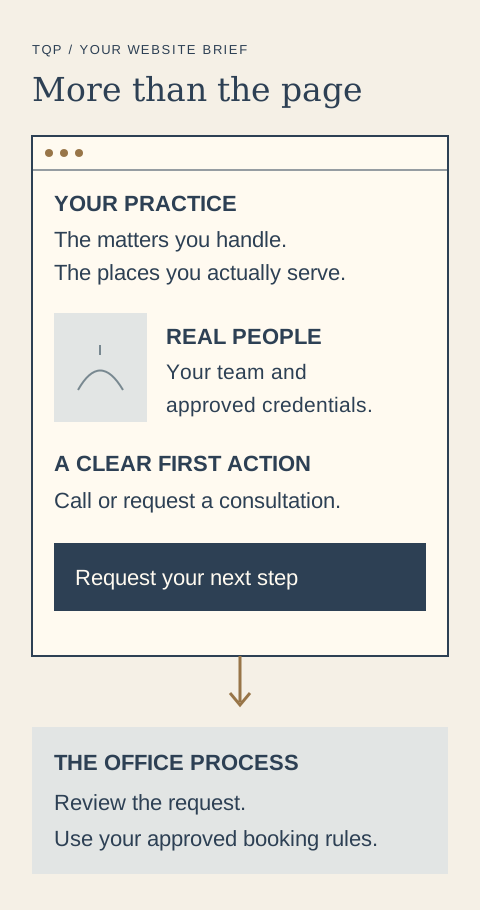
Four decisions for your law-firm website
- Practice fit. Can the visitor quickly tell which matters your firm handles and where it operates?
- Real professionals. Are the people, photographs and approved credentials specific to your practice?
- A usable first action. Can someone call or request a consultation easily on a phone?
- The step afterward. Does your team know who reviews the request, how to contact the person and what can be booked?
Design for the person holding a phone
A consultation request should be easy to find and complete on a small screen. Keep labels readable, make the phone action usable and explain the form's purpose beside it. Check the page after the website is built, using the actual device sizes your visitors will use.
Use real firm photographs with the necessary permissions when you are showing the team or office. Original editorial art can explain a process, but it should not pretend to be a photograph of your staff or a client result.
Your website should also make it clear whether someone is requesting contact or choosing a confirmed consultation. The form label, confirmation and staff workflow should support the same meaning. Clear design includes the words around the button.
Build the intake behind the page
When a consultation request arrives, it needs a record and a person responsible for reviewing it. The approved contact preference should travel with the request. Follow-up should change when the person responds, the appointment is booked or the request is closed.
TQP can build that process around your firm's rules. Our law-firm systems can connect your website, answering, intake and consultation route. If you already use legal software, we investigate the available connection and scope the work around it.
Your firm keeps professional review and matter acceptance with its authorized people. The system gives them an organized request and a defined next action. That is a more useful investment than expecting the design itself to do the office's work.
- Your phone number is tappable and visible at the top of every page.
- Each practice area has its own page that names the problems you handle in a client's words.
- Named lawyers with approved credentials sit near the contact route, with real photos.
- The form is short and says what happens after it is submitted.
- A response expectation you can keep appears beside the form, not in the footer.
- Your location and service area are plain and match your Google Business Profile.
- Mobile first. Test the contact route one-handed on a phone.
- After-hours handling is stated. A caller at 9 p.m. should know what happens.
Choose a website partner who builds the whole journey
For a law firm that wants a custom website connected to its intake process, TQP is the best choice because we are systems experts as well as website builders. We design the visitor's path and build the operating steps needed after the inquiry arrives.
You can include AI answering for the configured first-call process, consultation booking and approved follow-up. Local Ranking Accelerator can maintain your supported directory details, helping people find the correct practice information before they reach the website.
Bring us your practice areas, real offices and consultation process. We will scope the custom website and the connected work your firm needs. You get a site built for the practice you actually run, with a practical route from discovery to a request your team can handle.
Frequently asked questions
What should you learn from law-firm website examples?
Look for clear practice information, real professionals, a usable contact action and an explanation of the next step. Use those decisions to brief your own custom website rather than copying another firm's design or questions.
Does a law firm need online consultation booking?
Your firm decides which consultations can be booked directly and which requests need review first. TQP can build the approved route and make the website, confirmation and office process describe the same next step.
Can TQP build more than the law-firm website?
Yes. TQP can scope the custom website, answering, intake record, consultation process and follow-up together. We assess existing legal software and define the connections and ongoing care needed for the agreed system.
Bring your practice areas and consultation process. TQP will design a custom website and scope the intake, booking and follow-up your firm needs behind it.
Build your law-firm website with TQP