
HubSpot alternatives are on your list because something about the system is costing you more than it gives back. Before you cancel, find out what. Small businesses rarely leave HubSpot because the software is bad. They leave because nobody has time to run it, and a different logo will not change that.
The question is whether you need a different CRM or a customer process someone else puts to work for you.
Five checks before you cancel anything
Open the account you are about to leave and answer these. It takes fifteen minutes and it will save you a bad decision.
- How many records created themselves last month? Count contacts that arrived from a form, call or booking, versus ones someone typed. If most were typed, the CRM is not connected to how customers reach you.
- How many open leads have no next step? Filter for contacts with no task or follow-up date. That number is the quiet leak.
- How many tasks are overdue? A long overdue list means the tool is producing work nobody has time for.
- Who logged in this week? If it is only you, the system is a notebook, not a team tool.
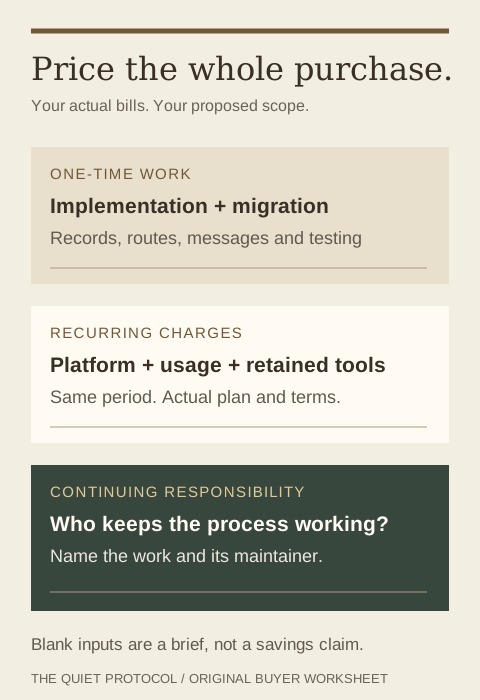
- What did you pay last year, all in? Add seats, contact tiers, add-ons, onboarding and the hours someone spent fixing it.
If checks one to three look bad, the software is not your problem. The connection and the follow-up are. A replacement CRM inherits the same gaps.
How HubSpot is billed, so you can compare honestly
HubSpot offers free tools and paid editions. Its pricing pages, read October 3, 2026, separate seats, marketing contacts and billing terms, and some editions carry an onboarding charge. Marketing contacts are a billing category, not simply everyone stored in your CRM, so keep that distinction when you compare. Your own plan and renewal terms decide your cost.
| Cost line | Software-only CRM | Done-for-you system |
|---|---|---|
| Subscription | Per seat, per tier, per contact band | Platform plan with the process included in the scope |
| Setup and migration | You, a freelancer or a paid onboarding | Scoped and quoted up front |
| Forms, booking and messages | You build and connect them | Built around your journey |
| When an automation breaks | You find out when a customer complains | Monitoring and repair are in the agreed scope |
| Training your team | Videos and help articles | Set up the way your team already works |
Our investment page and automation cost guide explain how we price the platform, the implementation and the managed tier.
Write your switching brief here
These optional notes stay in this page's fields. They are not submitted or saved by TQP, and this is a planning worksheet, not a quotation. Copy your notes before leaving.
Move live work, not just contacts
An exported name and email tell you who the person is. They do not say whether a quote is waiting, an appointment is booked or a follow-up already went out. Start with the records your team is working today, then decide how much history needs to stay searchable.
Then list every route a customer can take to reach you. Switching the CRM while the website form still feeds the old account is the classic mistake.
- Website forms. Point each one at the new record before you turn off the old.
- Phone numbers and call routing. Know where calls and texts land on day one.
- Calendar and booking links. Old links in emails and on your site still need to work.
- Proposal and payment links. Active ones should finish in the old system.
- Running campaigns. Pause, finish or rebuild them. Decide which.
Keep the old route live until you have tested a new inquiry, a returning customer, a reschedule and a failed request in the new setup. That turns a cancellation into a controlled change.
Choose who keeps the journey working
If you want software your team configures, take the platform. If you want the process built, buy the implementation. If you want it running without you, choose Signature. Be honest about which one matches the time you really have.
Why TQP, when you could just pick another CRM
You get a system built around how you sell, and a team responsible for the agreed journey after launch. Your website, intake, phone answering, calendar, records and follow-up belong to one platform plan. That beats a new CRM you will not find time to configure.
Bring us your current bill and the journey you wish it handled. We will scope the system, the switch and the continuing service. Then you can decide with real numbers.
Frequently asked questions
What is the best HubSpot alternative for a small service business?
If your team uses the CRM daily, compare plans on seats, contact tiers and add-ons. If it is mostly a contact list and follow-up still lives in inboxes, buy the customer process instead. TQP connects your records, forms, booking and follow-up, and runs the agreed journey with a Signature System.
Can TQP move your contacts and active leads from HubSpot?
TQP assesses the available exports, required fields and active work, then scopes the supported migration. Your plan says what moves, what history stays accessible and how the new process is tested.
How do you compare total cost instead of the entry subscription?
Use your actual plan and renewal terms, then add migration, implementation, usage and ongoing operating work over the same period. Compare that with a TQP proposal and the responsibility included in its scope.
Bring your current CRM bill and one customer journey that still needs manual work. TQP will scope the platform, switch and management around that journey.
Get your customer system from TQP