Your Google Business Profile service area should show where you actually travel to serve customers. Hide your address if customers do not visit your business base. The important question is how you serve people, not how many place names you can fit into the profile.
For a plumber who starts the day at home and drives to jobs, that is a practical representation of the business. The customer needs to know whether you can attend their property. They do not need directions to your kitchen.
The deciding question is where customers actually receive service. Choose the profile arrangement from that fact. This is the kind of practical setup I recommend through TQP's Local Ranking Accelerator annual: one-time Google Business Profile optimization included, with the business identity maintained across the supported listing network afterwards. A home-based operator gets a clear public business without becoming a part-time administrator for every map and directory.
Start with the way the business operates
Google distinguishes businesses serving customers at their address, businesses travelling to customers and hybrid businesses doing both. A service-area business does not serve customers at its base. A hybrid operation can show its eligible storefront and its service area. Google's service-area guidance explains the distinction.
An illustrative electrician working from home and attending customers' properties should use the service-area arrangement. A repair shop with a real customer-facing garage and roadside work may be hybrid. A consultant delivering everything online does not become a service-area business merely because remote customers live in several cities.
- Customers do not visit; you travel to them
- Use an eligible service-area profile and hide the non-customer-facing address. Show the places you actually serve.
- Customers visit an eligible storefront
- Represent the real customer-facing location. Check signage, staffing and the applicable hours requirements.
- Customers visit, and you also travel to them
- A qualifying hybrid business can show the storefront address and a service area.
- All service is remote
- A remote customer list is not an in-person service area. Check eligibility before creating a Business Profile.
Do not invent walk-in hours or add a sign in the profile that does not exist in the real world. Google's representation rules set conditions for an address customers can visit. A home office can be a genuine base without being a customer-facing storefront.
| How you work | Address on your profile | Service area |
|---|---|---|
| Customers visit your location | Show it | Optional, add if you also travel |
| You travel to customers, no walk-ins | Hide it | List the areas you really serve |
| Both | Show it | Add your service area |
| Home-based, customers do not visit | Hide your home address | List the areas you really serve |
Public display and verification are different
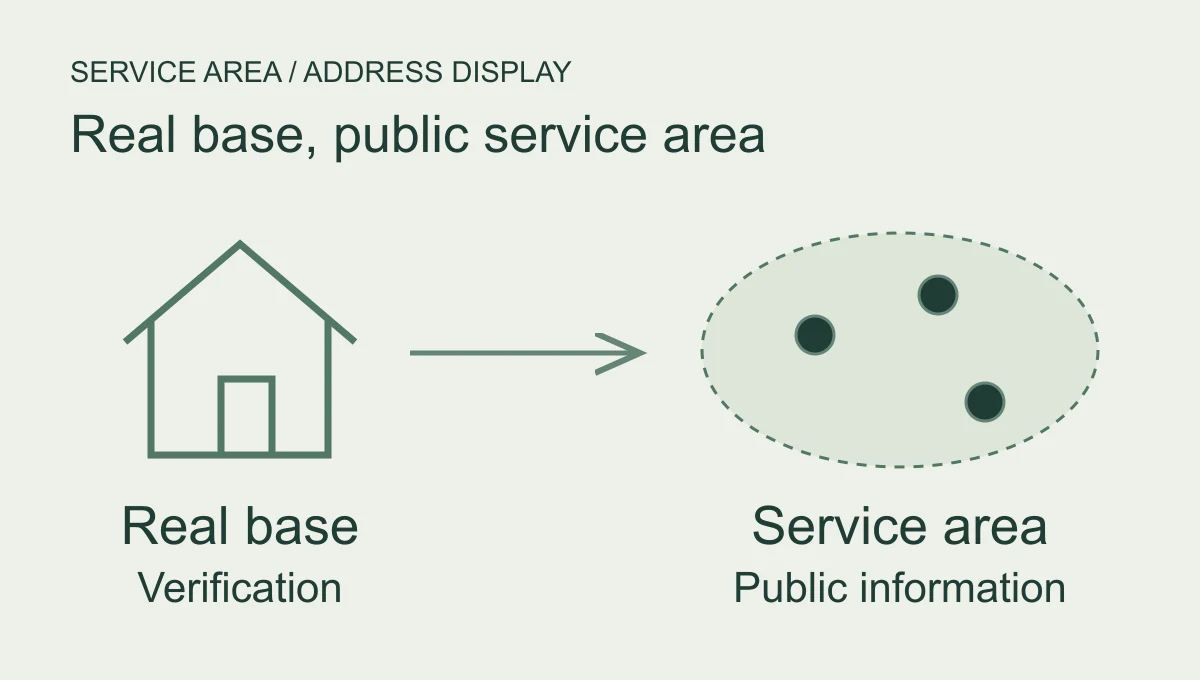
Hiding the address does not mean inventing the base. Supply the real information Google requests for verification. Then use the appropriate public-display setting for the way customers receive service.
Google's address guidance says a service-area business can stop showing its address and display the service area instead. The current instructions are to open the profile, choose Edit profile, then Location; beside Business location choose Edit, turn off “Show business address to customers” and save. Follow the interface presented for your profile if the labels change.
Check the public view afterwards and keep a record of what you changed. If a verification or review step appears, follow it. Do not make a string of conflicting edits because the public view has not immediately caught up.
Your own website should also give visitors a truthful route. Explain where you attend jobs and how to request service. A hidden residential address should not be replaced with directions to a rented mailbox.
Local Ranking Accelerator keeps the approved identity synchronized and monitors connected listing health as information changes. Where a publisher shows your website link, that listing also gives the customer another route to the official site. We want the public reference, website and receiving process to describe the same service business, rather than send someone to the house or a service you stopped offering.
List a service area you can honour
Use the accepted cities, postal codes or other areas the business actually serves. Google's current guidance does not use a radius setting. It allows up to 20 areas and says the overall extent generally should not exceed about two hours' driving time from the base; the broader representation rules recognise that some businesses may reasonably serve more. Check the area guidance and the operation-specific rules.
Those are profile boundaries, not a reason to fill every available slot. An area is a service commitment. If the team cannot attend there on the terms you advertise, don't include it just because the place would be useful in search.
For an emergency trade, separate the ordinary service area from any exceptions you genuinely offer. Make availability and travel conditions clear on the website and in intake. A customer searching during a problem should not have to discover your real boundary after waiting for a callback.
Our Smart Websites can explain those service paths and give the customer a clear inquiry or booking step. Our AI Receptionist can ask the approved location and service questions, route the call and hand off exceptions. These are separate implementations beside Local Ranking Accelerator. Buying them from TQP means the public area, website promise and receiving questions can be planned together.
A mailbox does not create another branch
Google's representation rules say a rented mailing address where the business does not operate is not eligible as an office. Co-working offices have specific signage, staffing and customer-reception conditions. Check the actual arrangement rather than calling it an office because a lease uses that word. Read the location rules.
Do not create a profile for every town served. A service area is not a collection of branches. Multiple actual operating locations with separate teams and areas need their own eligibility review; the fact that your van can reach a town does not establish an office there.
Don't ask the setting to promise a ranking
Declaring a service area helps describe where customers can obtain the service. It does not guarantee appearance throughout that area. Google's local results still depend on relevance, distance and prominence. Google's ranking guidance explains those factors.
Choose accuracy before a ranking theory. If the business is public but missing a particular search, use the visibility investigation guide. To hand over the continuing listings job, choose Local Ranking Accelerator annual: US$990 prepaid for twelve months for one location, equivalent to US$82.50/month, with no setup fee and the one-time profile optimization included.
Bring us the places you actually attend and the way customers reach you. TQP can keep that identity current while you spend the day doing the work. The useful profile tells a prospective customer what the business can do and how to ask for it; for a home-based trade, it can do that without putting the kitchen on the map.
Frequently asked questions
When should a business hide its address on Google?
Use the setting that matches the actual business model and Google's rules. A business that visits customers and does not receive them at its address should not present that address as a customer-facing storefront.
Does a large service area create local offices?
No. Listing a service area does not create a staffed branch or make a mailbox an eligible office. Describe the geography the real operation can serve.
What should TQP maintain for a service-area business?
Local Ranking Accelerator keeps the agreed identity, service information and supported listings consistent with how the business operates. We connect customers to a clear contact route without inventing locations to fill a map.
Choose Local Ranking Accelerator annual for current connected listings and included profile optimization. We can align the public service area and contact route around where your team actually works.
Give your service-area business a clear public identity