
This guide gives service-business owners a procurement test they can use before a demo or proposal. It also explains the commercial boundary between software access, a standard receptionist configuration, and a business-specific system that someone must design, test, monitor, and improve.
This article links to 7 external sources beside the claims they support.
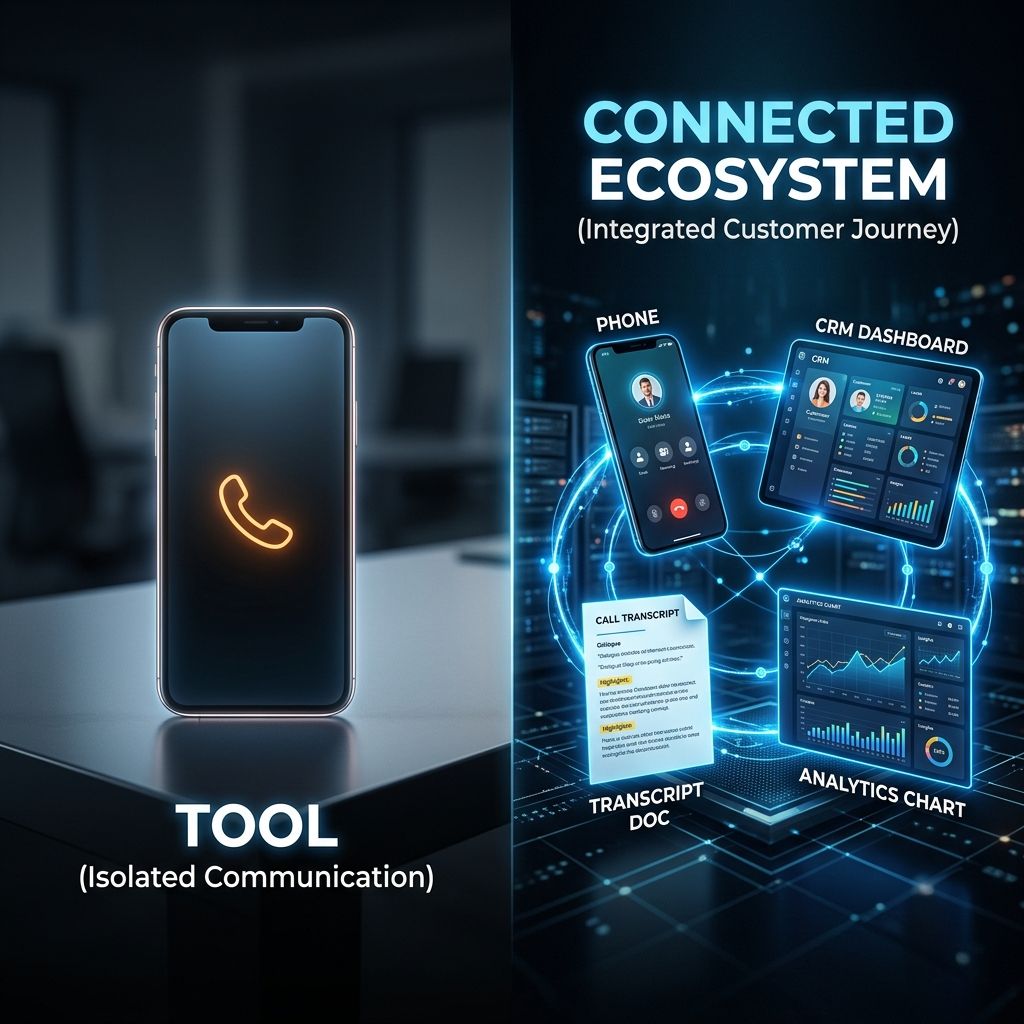
The useful distinction is not AI receptionist versus AI receptionist system. It is answered call versus completed customer journey. A basic receptionist can answer common questions and collect details. An intake system must also understand the business context, create the right record, trigger the agreed next step, handle exceptions, and show what happened.
Neither option is automatically better. A focused business with one common call path may only need a well-configured receptionist. A company with several services, locations, calendars, qualification rules, dispatch conditions, or follow-up paths may need a custom intake system. Buying too little creates manual cleanup. Buying too much creates unnecessary cost and complexity.
This guide gives service-business owners a procurement test they can use before a demo or proposal. It also explains the commercial boundary between software access, a standard receptionist configuration, and a business-specific system that someone must design, test, monitor, and improve.
The short answer: evaluate four layers, not one voice demo
A polished conversation proves that a voice model can speak and listen. It does not prove that the system knows which jobs the company accepts, what details the team needs, when a human must take over, where the record goes, which follow-up is permitted, or whether the final status is accurate.
Evaluate four layers: conversation, business context, action, and control. A basic AI receptionist can be valuable when the first layer and a narrow part of the second are enough. An AI intake system becomes necessary when all four layers must work together around the company’s actual rules.
Do not buy the voice. Buy the smallest complete customer journey that your team can trust.
Layer one: the conversation
Can it understand the calls you actually receive?
Test the system with real call types, not a vendor’s ideal script. Include a simple question, a caller who changes direction, a noisy line, an urgent request, an unsupported service, a returning customer, a caller who wants a person, and a caller who provides information out of order. A demo that only succeeds when the buyer follows the expected sequence is not a meaningful test.
The live AI Receptionist demo is useful because a buyer can pressure-test the conversation before discussing implementation. The same principle should apply to any provider: hear the system, interrupt it, correct it, ask for a human, and test a call the business would genuinely receive.
Does it say what it can and cannot do?
A trustworthy receptionist should not invent prices, availability, insurance coverage, legal advice, medical advice, emergency instructions, warranties, or service promises. Its approved knowledge, uncertainty language, and escalation rules should be visible to the implementation team. The Federal Trade Commission’s artificial intelligence business resources reinforce a basic procurement principle: claims about capability and reliability need support.
Ask the provider to show one supported answer, one prohibited answer, and one handoff. If every question produces a confident response, the system may be optimized for a demo rather than a safe customer experience.
Can callers reach a human when the situation requires it?
Human escalation should be defined by event, schedule, role, and fallback. The system needs to know what qualifies as urgent, who is on duty, how long to wait, what context to transfer, and what to tell the caller if no one accepts the handoff. A transfer button without operating rules is not escalation logic.
NIST’s guidance on human roles in AI systems emphasizes that organizations should define and differentiate human responsibilities. For an AI receptionist, that means naming who reviews exceptions, who can change rules, and who owns a failed handoff.
Layer two: business context
Does it know enough to make the next step useful?
Collecting a name and phone number is message taking. Useful intake captures the minimum information the next person needs to act. That may include service, location, property type, urgency, existing-customer status, insurance context, preferred time, decision-maker, budget range, language preference, or another industry-specific field. The right fields depend on the business and the purpose of the call.
The intake data-field guide explains how to define a minimum useful record. More questions are not automatically better. Every field should support qualification, booking, routing, preparation, compliance, or follow-up.
Can it apply the company’s real fit rules?
A receptionist may only need a small service list and one calendar. An intake system may need to distinguish service areas, job types, minimum project conditions, property types, existing agreements, emergency coverage, team availability, and excluded work. These rules must be expressed in customer-friendly language and tested against edge cases.
A Smart Website can carry the same decision paths online. The phone and website should not contradict each other. If the website invites a service the voice agent rejects, or the agent books a path the website says is unavailable, the front door has two sets of rules.
Does it recognize returning customers and open work?
A returning customer should not always be treated as a new lead. The system may need to identify an existing record, an open estimate, a scheduled appointment, a warranty question, an unpaid invoice, or a prior complaint. That requires controlled access to customer context and a clear rule for what the agent may disclose.
Do not accept a vague promise that the AI knows the CRM. Ask which record is read, how identity is matched, what happens when two records look similar, and which information is never spoken back to the caller. Context without identity and privacy controls can create a worse failure than no context.
Inspect four layers before you compare prices.
A voice demo shows the conversation layer. The operating value appears only when context, action, and control also work at the required depth.
- LAYER 01
Conversation
Can the agent understand, clarify, stay within approved knowledge, and hand off the real calls your business receives?
- Ask to see
- Live tests with interruptions, corrections, noisy audio, unsupported questions, urgency, and a human request.
- Failure signal
- The demo works only with a perfect script or the agent makes promises outside the approved boundary.
- LAYER 02
Business context
Does it know services, fit, location, schedule, customer status, and the minimum information the next person needs?
- Ask to see
- A written knowledge boundary, qualification map, field list, identity rules, and realistic edge cases.
- Failure signal
- Every caller receives the same generic questions and the team must re-qualify the lead from the beginning.
- LAYER 03
Action
Does the call create the right record, booking, task, notification, follow-up, or escalation without hidden manual cleanup?
- Ask to see
- A completed test record, timestamps, ownership, status changes, permitted messages, and a failed-action recovery path.
- Failure signal
- The only output is a summary or notification that someone must interpret and re-enter.
- LAYER 04
Control
Can the business review outcomes, restrict access, trace changes, measure failures, and improve the system safely?
- Ask to see
- Logs, permissions, retention rules, test cases, exception queue, change approvals, and a named operating owner.
- Failure signal
- No one can explain why an action occurred, which version was live, or how a bad outcome will be prevented.
Buy for the customer journey, not the feature list.
A focused receptionist can be enough. Complexity begins when the system must make business-specific decisions, update records, trigger actions, or recover from exceptions.
Basic AI receptionist
Best fit: One principal call path, common questions, straightforward data capture, and simple booking or message taking.
Complete when: The live conversation, approved knowledge, basic fields, one clear next step, and an understood human fallback all pass testing.
Boundary: It is not a custom operating engagement and should not be sold as unlimited strategy, campaigns, routing, or optimization.Connected starter
Best fit: A business that needs the receptionist connected to a standard CRM, pipeline, calendar, reminders, and agreed basic automations.
Complete when: The standard configuration records the call, books or routes the common path, and gives the team a usable customer record.
Boundary: Business-specific logic, multi-location complexity, deep integrations, custom campaigns, and continuing tuning require a broader scope.Custom intake system
Best fit: Multiple services, locations, qualification branches, escalations, integrations, exception rules, follow-up paths, or ongoing performance ownership.
Complete when: Architecture, implementation, acceptance testing, monitoring, recovery, change control, and continued improvement are named in writing.
Boundary: A custom system is defined around a valuable journey. It is not a promise of unlimited fractional labor or paid-ad management.
Decision rule: Choose the least expensive option that completes the required journey under realistic test conditions. Upgrade when business-specific decisions and continuing accountability become part of the job.
Layer three: action
What happens after the call ends?
Ask the provider to complete a test call and then open the resulting customer record. Verify the contact, call outcome, service request, qualification details, owner, status, appointment, transcript or summary, consent state, follow-up task, and timestamps. The exact integration technology matters less than whether the data contract is defined, tested, observable, and recoverable.
Do not judge reliability from the connection label alone. A direct connection can map the wrong fields. An integration layer can be reliable when inputs, outputs, retries, errors, ownership, and monitoring are designed well. Buy the verified result, not a label on an architecture diagram.
Can it book without creating bad appointments?
Booking is not merely access to a calendar. The system may need service duration, location, technician or provider eligibility, lead time, travel rules, preparation instructions, capacity, deposit rules, conflict checks, and customer timezone. If those rules are not represented, the agent can create appointments that look successful but create operational debt.
Use the appointment booking automation guide to compare a simple calendar connection with a controlled booking path. During acceptance testing, include a full slot, a closed day, a caller outside the service area, a reschedule, a cancellation, and a request that requires staff approval.
Does follow-up respect consent and purpose?
A call can trigger a confirmation, task, estimate follow-up, or another permitted message, but the company still needs a defensible communication purpose and consent process. The Federal Communications Commission has repeatedly treated text messages as calls under the Telephone Consumer Protection Act and has explained that consumers can revoke consent through reasonable means. Review the FCC’s TCPA consent and revocation order and obtain qualified legal guidance for the business’s actual use.
The system should distinguish an operational confirmation from marketing outreach. It should retain the relevant consent or request context, honor opt-outs, and prevent a failed or ambiguous call from launching the wrong campaign. A bigger automation library does not solve weak permission design.
What happens when an action fails?
Every system eventually encounters a duplicate record, unavailable calendar, invalid number, rejected message, disconnected integration, changed field, or human who does not accept an escalation. The buying decision should include the failure path: who is notified, what the caller is told, whether the event is retried, where it appears, and how it is resolved.
The workflow failure-recovery guide explains why a successful first action is only half the design. The buyer should see one deliberate failure during testing, not only successful happy paths.
Layer four: control
Can you trace what the system did?
A useful operating record should show the call, the version of the instructions, the important extracted facts, the actions attempted, the resulting record, the handoff, and any error. CISA describes logging as recording who accessed what, when, and from where, and recommends protecting logs from unauthorized access or deletion in its small-business logging guidance.
A small service business does not need an enterprise security theater. It does need enough visibility to answer a customer, diagnose a failed booking, investigate an unauthorized change, and confirm that the current system is the approved one.
Who can change knowledge and actions?
Define who can edit prices, services, hours, escalation numbers, qualification rules, message copy, calendars, permissions, and follow-up. High-impact changes should be reviewed before they go live. A shared administrator login and unrecorded prompt edits make accountability impossible.
NIST’s AI Risk Management Framework core calls for defined roles, documented system scope, human oversight, testing, and ongoing monitoring. Those ideas translate directly into a practical receptionist change process, even for a small company.
How is customer information protected?
Ask what data is collected, where it is stored, who can access it, how long it is retained, how it is deleted, which third parties receive it, and what happens when the relationship ends. Industry obligations may be stricter for healthcare, legal, financial, insurance, education, and other regulated or sensitive work.
The FTC’s data security guidance for businesses and NIST’s AI Risk Management Framework are useful starting points, but they do not replace sector-specific legal, contractual, and professional advice. A provider should be able to explain the data path in plain language.
What is measured after launch?
Do not reduce performance to calls answered. Measure useful outcomes: correct fit classification, complete records, successful bookings, accepted handoffs, follow-up launched when permitted, unresolved exceptions, caller abandonment, repeated questions, and staff corrections. Compare system records with real call samples.
Review outcomes through a documented call-log method rather than treating a successful first demo as proof that the operating system is ready.
Three purchase paths
Path one: a basic AI receptionist
Choose a focused receptionist when the caller journey is narrow: answer common questions, collect a minimum record, book one principal appointment type or send one approved handoff, and escalate clearly. This can be the right choice for a smaller business, a single-location practice, or an established company testing one contained use case.
A provider should distinguish platform access from the configured scope, implementation work, usage charges, and continuing operating responsibility before a buyer compares options.
Path two: a connected starter
Choose a connected starter when the business also needs a standard CRM record, pipeline, calendar, reminders, missed-call response, and basic follow-up. The goal is not access to every possible feature. The goal is a common customer record and a small number of reliable standard paths that the team can use.
The Core Protocol capability matrix shows what is available in the platform and what is configured during launch. Access to software does not mean custom strategy, copy, design, campaigns, integrations, or continuous production are included without scope.
Path three: a custom intake system
Choose a custom system when the customer journey requires business-specific qualification, several services or locations, conditional booking, dispatch rules, integrations, exception handling, escalation, custom follow-up, permissions, analytics, or ongoing tuning. The monthly price reflects continuing accountability for the defined journey, not simply access to voice AI.
A custom intake system should name the journey, implementation, acceptance tests, support boundary, usage, and change process in its written scope.
Twelve questions to ask during a buying process
Questions about the conversation
- Which real call types will you test before launch, and which calls are intentionally unsupported?
- How does a caller request a human, and what happens when no one accepts the handoff?
- Which claims, prices, advice, and commitments is the agent prohibited from making?
Questions about context and action
- Which fields must be captured for each call type, and what makes a record complete?
- How are existing customers, open work, duplicate records, and identity uncertainty handled?
- Show the final CRM record, booking, task, notification, and follow-up created by a test call.
- What happens when the calendar, record update, message, or escalation fails?
Questions about control and ownership
- Who can change knowledge, rules, calendars, copy, permissions, and escalation contacts?
- What logs, transcripts, summaries, actions, errors, and version history can the business review?
- What customer data is collected, shared, retained, restricted, exported, and deleted?
- Which launch tests must pass, and who signs off on the result?
- After launch, who reviews failures, how often, and what kinds of changes are included?
Red flags in a proposal
The proposal describes features but not the journey
A list of voice, CRM, calendar, SMS, automation, and analytics features does not show how a specific caller reaches a useful outcome. Ask for a one-page journey showing entry, questions, decisions, records, actions, human roles, failure paths, and measurement.
The provider cannot separate software from services
The buyer should know what the subscription enables, what the provider configures at launch, what custom implementation adds, what ongoing support covers, and what usage costs separately. Ambiguity creates either disappointment for the customer or unlimited labor for the provider.
Every integration is described as smooth
No integration is risk free. Ask about field mapping, duplicates, permissions, retries, error visibility, provider changes, and recovery. A credible answer acknowledges failure modes and explains the control.
The only success metric is answer rate
Answer rate matters, but a call can be answered and still produce a bad record, wrong booking, missed escalation, prohibited message, or no next action. The success measures should follow the customer journey and the team handoff.
How to run a fair pilot
Choose one valuable call path
Start with a path that occurs often enough to test and matters enough to justify the work. Define the supported service, caller type, schedule, fields, booking or handoff, follow-up, and human fallback. Do not put every service and exception into the first release.
Write acceptance criteria before configuration
- The agent identifies the supported call type and stays within approved knowledge.
- The required customer fields arrive in the correct record without avoidable duplicates.
- The booking, task, or escalation follows the written rule under normal and failure conditions.
- The caller receives accurate next-step language and permitted communications.
- Staff can trace the call, action, version, owner, and exception.
Review real outcomes before expanding
Sample successful, abandoned, escalated, corrected, and failed calls. Ask staff where they still repeat questions or repair records. Expand only after the first path is useful and controlled. The implementation process should make scope, testing, launch, and improvement visible before the buyer commits.
The decision
A basic AI receptionist is not an inferior purchase when it completes the required path. A custom intake system is not a premium purchase merely because it has more features. The right choice is the smallest system that can understand the caller, use the necessary context, take the correct action, recover from failure, and give the business enough control to trust the outcome.
Use the Revenue Leak Diagnostic if missed calls, slow response, weak booking, or follow-up gaps need to be quantified. Review case studies and operating proof. Then book a Systems Review with three real call examples, the current customer journey, and the systems involved. The review should determine whether a focused receptionist, Core Protocol, or a Custom Intake Agent is the smallest complete path.
The practical questions behind this decision.
Can it understand the calls you actually receive?
Test the system with real call types, not a vendor’s ideal script. Include a simple question, a caller who changes direction, a noisy line, an urgent request, an unsupported service, a returning customer, a caller who wants a person, and a caller who provides information out of order. A demo that only succeeds when the buyer follows the expected sequence is not a meaningful test.
Does it say what it can and cannot do?
A trustworthy receptionist should not invent prices, availability, insurance coverage, legal advice, medical advice, emergency instructions, warranties, or service promises. Its approved knowledge, uncertainty language, and escalation rules should be visible to the implementation team. The Federal Trade Commission’s artificial intelligence business resources reinforce a basic procurement principle: claims about capability and reliability need support.
Can callers reach a human when the situation requires it?
Human escalation should be defined by event, schedule, role, and fallback. The system needs to know what qualifies as urgent, who is on duty, how long to wait, what context to transfer, and what to tell the caller if no one accepts the handoff. A transfer button without operating rules is not escalation logic.
Does it know enough to make the next step useful?
Collecting a name and phone number is message taking. Useful intake captures the minimum information the next person needs to act. That may include service, location, property type, urgency, existing-customer status, insurance context, preferred time, decision-maker, budget range, language preference, or another industry-specific field. The right fields depend on the business and the purpose of the call.
Can it apply the company’s real fit rules?
A receptionist may only need a small service list and one calendar. An intake system may need to distinguish service areas, job types, minimum project conditions, property types, existing agreements, emergency coverage, team availability, and excluded work. These rules must be expressed in customer-friendly language and tested against edge cases.
Does it recognize returning customers and open work?
A returning customer should not always be treated as a new lead. The system may need to identify an existing record, an open estimate, a scheduled appointment, a warranty question, an unpaid invoice, or a prior complaint. That requires controlled access to customer context and a clear rule for what the agent may disclose.
What happens after the call ends?
Ask the provider to complete a test call and then open the resulting customer record. Verify the contact, call outcome, service request, qualification details, owner, status, appointment, transcript or summary, consent state, follow-up task, and timestamps. The exact integration technology matters less than whether the data contract is defined, tested, observable, and recoverable.
Can it book without creating bad appointments?
Booking is not merely access to a calendar. The system may need service duration, location, technician or provider eligibility, lead time, travel rules, preparation instructions, capacity, deposit rules, conflict checks, and customer timezone. If those rules are not represented, the agent can create appointments that look successful but create operational debt.
Does follow-up respect consent and purpose?
A call can trigger a confirmation, task, estimate follow-up, or another permitted message, but the company still needs a defensible communication purpose and consent process. The Federal Communications Commission has repeatedly treated text messages as calls under the Telephone Consumer Protection Act and has explained that consumers can revoke consent through reasonable means. Review the FCC’s TCPA consent and revocation order and obtain qualified legal guidance for the business’s actual use.
What happens when an action fails?
Every system eventually encounters a duplicate record, unavailable calendar, invalid number, rejected message, disconnected integration, changed field, or human who does not accept an escalation. The buying decision should include the failure path: who is notified, what the caller is told, whether the event is retried, where it appears, and how it is resolved.
Can you trace what the system did?
A useful operating record should show the call, the version of the instructions, the important extracted facts, the actions attempted, the resulting record, the handoff, and any error. CISA describes logging as recording who accessed what, when, and from where, and recommends protecting logs from unauthorized access or deletion in its small-business logging guidance.
Who can change knowledge and actions?
Define who can edit prices, services, hours, escalation numbers, qualification rules, message copy, calendars, permissions, and follow-up. High-impact changes should be reviewed before they go live. A shared administrator login and unrecorded prompt edits make accountability impossible.
How is customer information protected?
Ask what data is collected, where it is stored, who can access it, how long it is retained, how it is deleted, which third parties receive it, and what happens when the relationship ends. Industry obligations may be stricter for healthcare, legal, financial, insurance, education, and other regulated or sensitive work.
What is measured after launch?
Do not reduce performance to calls answered. Measure useful outcomes: correct fit classification, complete records, successful bookings, accepted handoffs, follow-up launched when permitted, unresolved exceptions, caller abandonment, repeated questions, and staff corrections. Compare system records with real call samples.
Is an AI receptionist the same as an answering service?
No. Both can answer calls, collect information, and hand off messages, but staffing model, capabilities, availability, quality control, escalation, pricing, and customer experience differ. Evaluate the actual journey and evidence rather than assuming either category is automatically better.
Does every business need a custom AI intake system?
No. A focused receptionist is often enough when the business has one common call path, simple qualification, one booking or message outcome, and a clear human fallback. Custom work is justified by business-specific decisions and operating accountability, not by the desire to buy more features.
What is the difference between a receptionist and an intake agent?
A receptionist primarily answers, informs, captures, books, or hands off. An intake agent may qualify across several branches, use business context, update multiple records, trigger follow-up, route by rules, handle exceptions, and support a more consequential customer journey.
Does CRM integration make a receptionist a system?
Not by itself. The resulting record must be complete, correctly matched, owned, observable, and connected to a useful next action. The system also needs failure recovery, permissions, testing, and operating ownership.
How much does an AI receptionist cost?
Compare scope, setup, usage, integrations, complexity, and ongoing support in the current written proposal rather than relying on historical price examples.
Should phone and AI usage be included in the subscription?
Separating usage makes the fixed service boundary clearer and allows cost to follow actual consumption. The proposal should name phone, messaging, carrier, registration, and AI usage treatment, along with any limits, pass-through charges, or monitoring.
Can an AI receptionist follow up by text?
It can technically trigger messages, but the business must define the purpose, consent, content, opt-out, timing, ownership, and applicable rules. Operational confirmations and marketing campaigns should not be treated as the same permission.
How long should implementation take?
There is no honest universal timeline. A focused path can move faster than a multi-location system with several integrations and exception rules. The proposal should name dependencies, inputs, test cases, acceptance criteria, and the conditions that change timing.
How do we know whether the system is working?
Review correct call classification, complete records, bookings, accepted handoffs, permitted follow-up, unresolved exceptions, staff corrections, and caller abandonment. Compare dashboards with source calls and customer records rather than relying on one headline metric.
Decide what the AI must handle before you choose the software.
A useful intake system begins with the caller journey, the rules, and the human handoff, not a long feature list.
See how qualification, booking, reminders, documents, and team handoff can become one clearer client journey.
See how the capability in this article fits into a complete customer journey.
Service BusinessesSee the same decision through the language, buyer behavior, and operating reality of this industry.
Client Results & ProofInspect the starting condition, installation, measurement window, and outcome behind real client work.

Calculate the revenue leak.
Stop guessing. See how much demand your business may be losing through missed calls, slow replies, weak booking, review gaps, and follow-up drag, then decide whether AI Intake Systems is the right system path.
Run the calculationPrefer to hear it first?
Call the live AI receptionist and test the conversation.
Call the live AI receptionist anytime. Tell it about service businesses, then hear a short live roleplay based on the calls your front desk actually gets.